
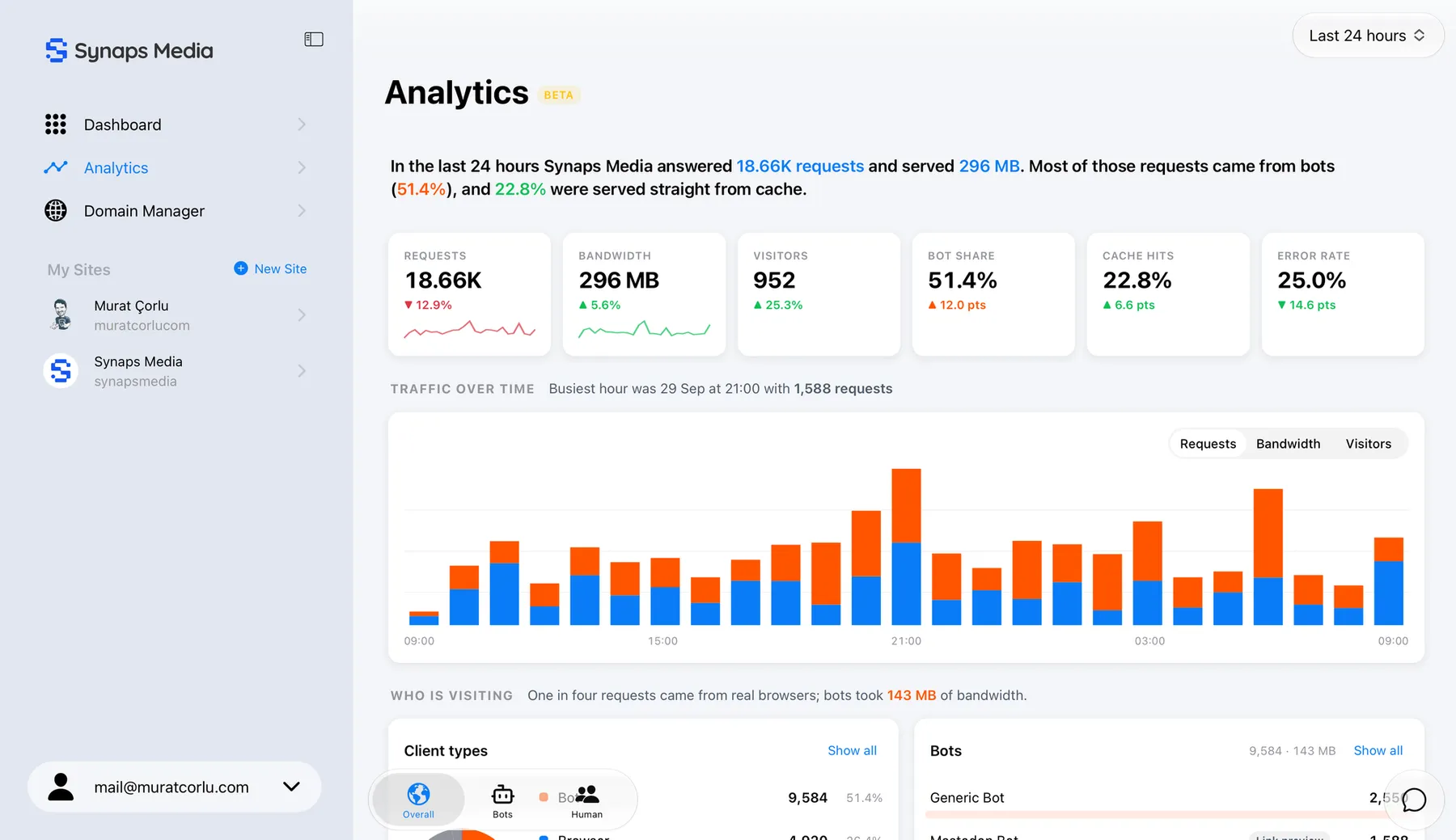
Ghost's built-in analytics is great at showing what your readers are doing. It's fast, it's privacy friendly, and it works without any setup. But it works by running a small script in the visitor's browser, which means it can only report what a browser is willing to tell it.
A lot of your traffic never goes through that path. Today we're launching Advanced Web Analytics to show you the rest.
The problem: some of your audience is invisible
Think about who actually touches your site during a normal day:
- Bots and crawlers from search engines, AI companies and monitoring services request your pages constantly, and most of them never run JavaScript.
- RSS readers fetch your feed directly. These are often your most loyal readers, and Ghost's dashboard doesn't count them.
- Email clients load your newsletter, but you have no idea which apps your members use to read it.
- Direct file requests happen when someone downloads a file, or when another website embeds your images without asking.
None of these show up in client-side analytics, because none of them open a page in a browser and report back. You can't make good decisions about content you can't see.
Introducing Advanced Web Analytics
Advanced Web Analytics adds a server-side layer to your site. Instead of relying on JavaScript in the browser, it reads your server logs and turns them into reports in your Synaps Media Panel. No scripts to install, no theme changes, nothing to configure.
Here's what you get:
- Bot traffic insights. See every bot visiting your site, from AI trainers to search engines. Track how often they come, which pages they read, and which bots are consuming your content.
- Email client stats. See which email clients your members use to open your newsletters, so you can design for Gmail, Apple Mail, Outlook, or whatever your audience prefers.
- RSS reader analytics. Find out which RSS readers your followers use and get to know this quiet but engaged part of your audience.
- Hotlinked content detection. Discover which websites embed your images or link straight to your files, and see how far your content travels beyond your own site.
- Server-side tracking. Requests are captured at the source, so you also see traffic that bypasses the browser entirely, like feeds and direct file access.
What bot reports look like
Here's an example of a bot report:
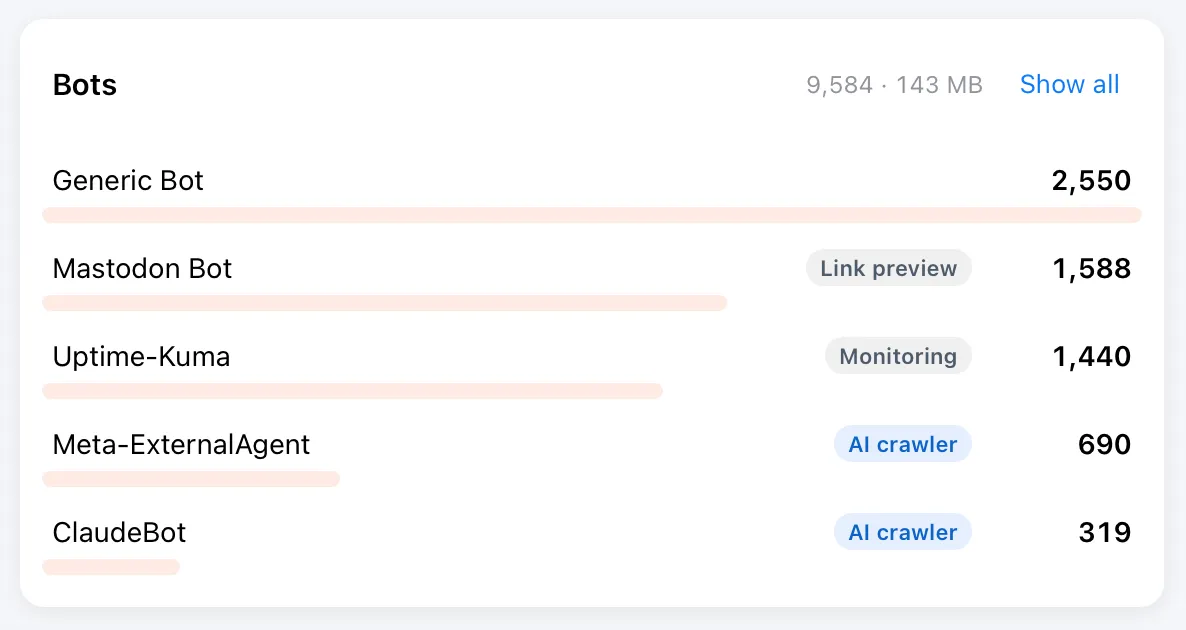
If you have wondered whether AI companies are reading your content, this is where you'll find out. Search engines and monitoring bots are listed too, so you can tell friendly crawlers from the ones you'd rather not have around.
Coming soon: block unwanted bots
Seeing which bots visit is the first step. The next one is deciding what to do about it. We're working on a way to block annoying or harmful bots directly from the Synaps Media Panel with a single click. We'll announce it as soon as it's ready.
Works together with Ghost analytics
Advanced Web Analytics doesn't replace Ghost's analytics. Ghost's client-side view is still the best way to understand your human readers, and you should keep using it. Advanced Web Analytics adds the server-side view of what the browser never gets a chance to report. Together they give you the full picture.
Available on the Premium plan
Advanced Web Analytics is available today for all sites on the Premium plan, at no extra cost. If you're on another plan, you can upgrade any time from your panel.
Getting started
- Log in to your Synaps Media Panel
- Go to the new Analytics menu from the sidebar.
- Start exploring your reports.
Advanced Web Analytics is in beta
This is a feature we were working on since many months, and it was a challenge to provide near-realtime server-side analytics data to you in a meaningful and performant way. We think it's now ready to introduce with you but there can be some glitches or missing parts you would expect on your dashboard. If you see any issues or if you have any ideas to improve the dashboard, please share your feedback with our support.
You can explore Advanced Web Analytics → for more information.