
E-mail Inboxes allows you to create individual e-mail addresses with your custom domain, to send and receive emails with a webmail or e-mail clients like Apple Mail, Microsoft Outlook, Mozilla Thunderbird or others.
E-mail Inboxes is provided with our Premium Plan. By Subscribing Premium Plan you can create up to 5 e-mail addresses with domains you connected to your site.
Creating E-mail Address
To create an e-mail inbox, go to your Synaps Media Panel for your site. In the "E-mail Inboxes" section, click "Add new e-mail inbox" button.

In the dialog, select a domain from your connected domains to use for your email, write your preferred handle, and password. Then press "Create".
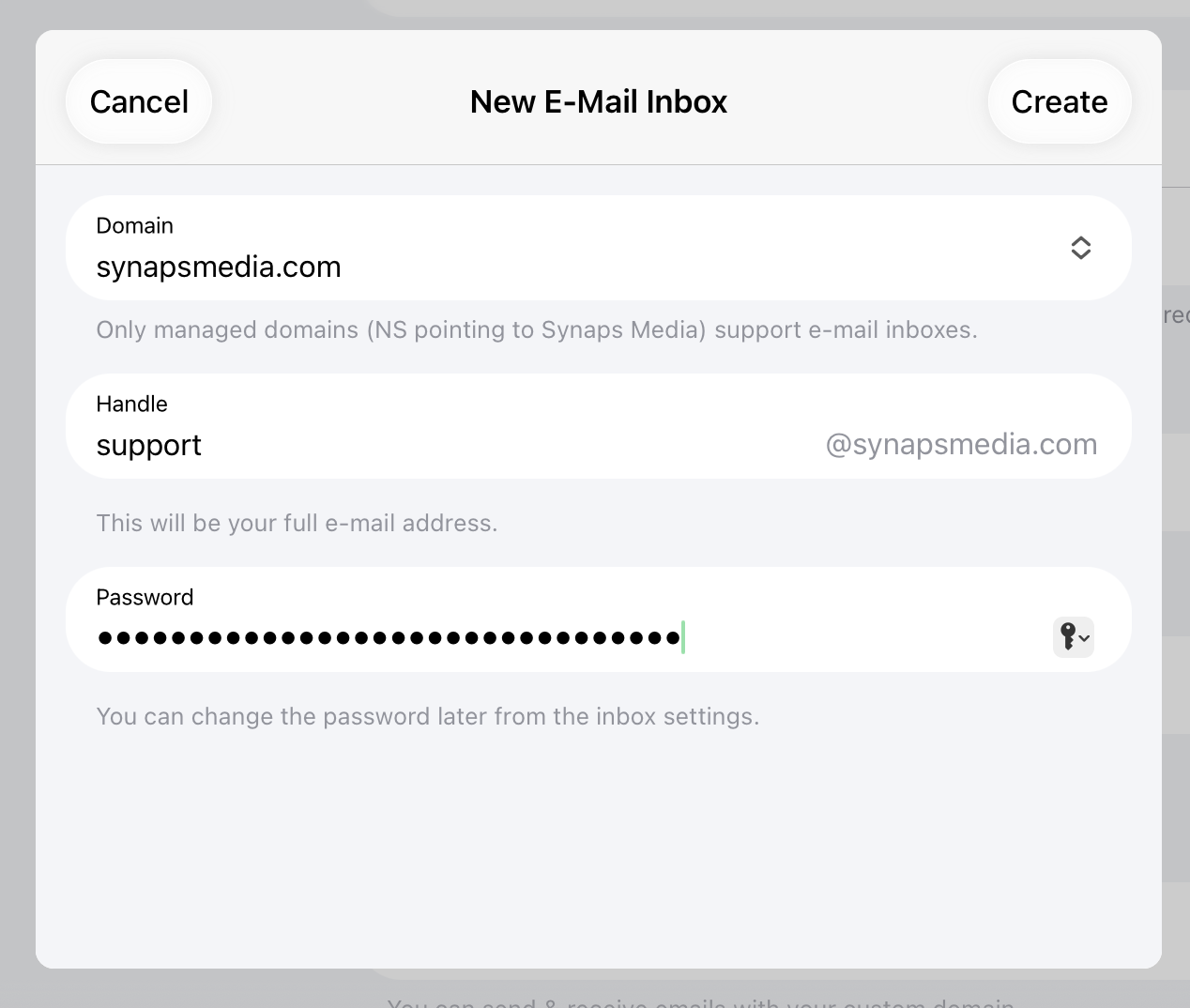
Then you can start using your e-mail address right away. Required DNS records will automatically added.
Using your Emails
Webmail
You can reach your email address from browser by using https://synaps.email address. Use your full email address and password to login your webmail. Then you can use fully featured mail app to send/receive emails, change your password, set your incoming mail rules and so on.
Other E-mail Clients
Your e-mail address with any e-mail clients that supports IMAP/POP3 and SMTP protocols, like Apple Mail, Microsoft Outlook, Thunderbird or others.
When setting up your emails on your client apps, always use full email address (username@yourdomain.tld) as username.
To setup your email clients, please check our detailed document:
 Synaps Media
Questions
What is the difference between E-mail Inbox and Custom Sending Domain?
With Custom Sending Domain, "your Ghost site" can send transactional (signup/sign-in/password recovery) and newsletter emails with your own domain. But to "receive" emails by your custom domain, or send individual emails to anyone on the internet, you need to have a E-mail inbox (or Forward e-mail, just for receiving).
How can I use my e-mail address with e-mail clients like Apple Mail or Outlook?
Our e-mail service supports IMAP and POP connections. By using one of those protocols in your e-mail client, you can add your e-mail address, and start sending and receiving emails directly within your e-mail client.
Please check our detailed document about configuring e-mail clients.
Can I check my e-mail inbox from browser?
Yes. You can use our webmail at https://synaps.email
How can I change my e-mail password?
You can change your Synaps Media E-mail Inbox mail address on Synaps Media Panel. Go to your site setting on the panel, select e-mail address you want to change the password in "E-mail Inboxes" list. Use "Change Password" button in the opened dialog.