
Subdirectory Install means the ability of running a Ghost publication under a sub directory of another Ghost publication.
This is a common approach especially for multi-lingual Ghost websites. For example, if you want to run a Ghost site in English, Spanish and German, with newsletter features, running separate Ghost publications for each language is the recommended way. You can run every language on a different subdomain, like "en.myblog.com" and "es.myblog.com". But for a better search engine performance, it's generally considered better to use subdirectories instead. So you use "myblog.com/es" instead of "es.myblog.com"
Benefits of using subdirectory install in Synaps Media
Thanks to Synaps Media's multi-site management capabilities, running multiple sites with subdirectory installs has more benefits than the setup comfort.
Shared newsletter sending credits
When you run multiple sites under same domain with subdirectory installs, their newsletter credits are merged. If you run 3 sites under same domain (like /en, /de and /es), and if each site has 2,000 monthly newsletter credits, then those sites can use each others credits when needed. Credits are counted in this order:
- First, credits for the site sending newsletter is used.
- If own credits are not enough, then the credits of the root site is used.
- If both credits are not enough, credits of other sites under the same domain is used (if any).
- If all credits for the all sites under same domain is used, extra newsletter credits are used.
Multi-site discount
Subdirectory installs take the advantage of our multi-site discount.
Shared custom sending domain
Subdirectory installs inherits custom sending domain from the root domain site. They all use same sending domain automatically.
How to use subdirectory installs
To start using subdirectory installs, you need at least 2 Ghost publications running on Synaps Media. Then go to settings of the Ghost site you want to run under a subdirectory of your other site.
Under the domains section you will see "Enable subdirectory install" button.

When you click it, you will see Subdirectory install dialog.
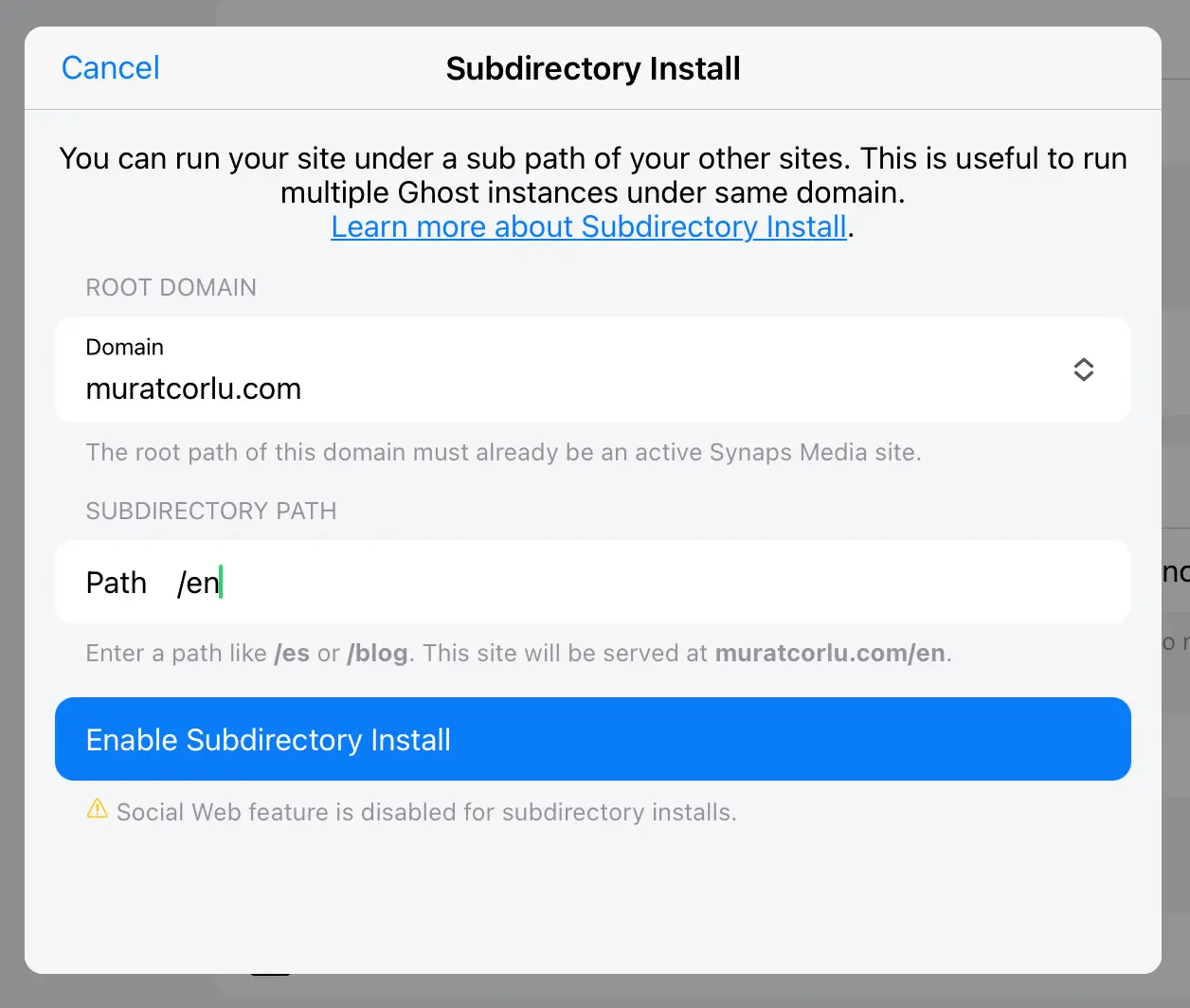
From Domain field, you can select the domain that you will run this Ghost under a subdirectory of. In this list, you can select only one of your active Ghost sites' main domains.
Then write subdirectory path you want to use for this site, and click "Enable Subdirectory Install"
After dialog closes, both your subdirectory install site and the root domain sites will be restarted in a minute and then your site will start running under your chosen subdirectory.
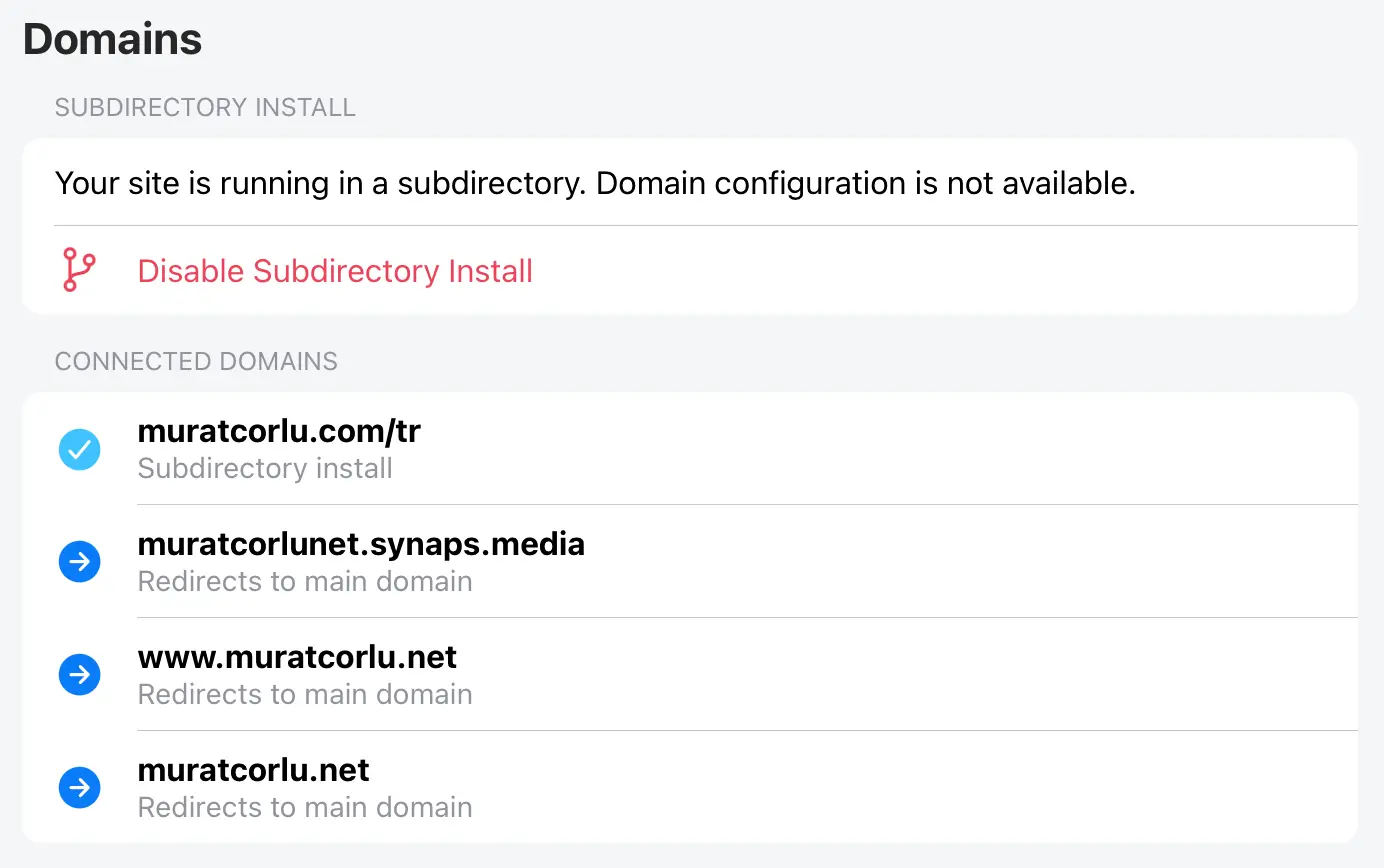
If you want to disable this later, you can press "Disable Subdirectory Install"
Rules and Restrictions
- Subdirectory installs use the "Sending Domain" of root site. That means, your membership and newsletter emails will always be sent from same domain as the root path site. You can use a different sender email address of same domain.
- Social Web feature is disabled on subdirectory installs.
- Sitemap of root site will not include subdirectory install publications. You may need to manually submit your subdirectory sites.
- If you have custom robots.txt files on your subdirectory install publications, they will not automatically merged on root path. You'll need to update your robots.txt file on your root website.
- Ghost Admins for each site will stay separated. You will reach your subdirectory Ghost admins with
/{subdir}/ghostaddress.
Questions
Can I use subdirectory install for a site that I am running outside of Synaps Media?
Currently Subdirectory Install feature is only available when all of the sites of a domain running on Synaps Media.
Can I disable subdirectory install later?
Yes. You can disable and re-enable subdirectory install feature whenever you need.
What happens if I disable subdirectory install later?
When you disable subdirectory install, you publication will continue to run with it's own domain as a separate website.
How many sites can I run under same domain?
There is no hard limit for the number of Ghost sites running as subdirectory installs.
What happens domains connected to my subdirectory install?
When you enable subdirectory install, connected domains to that sites will be automatically redirected to the new address. You don't need to define any redirect rules.
If you have more questions, please contact use by emailing support@synapsmedia.com