

One of the things that makes Ghost special is its API. Almost everything you can do in Ghost Admin can also be done through the Admin API: publishing posts, managing members, uploading images, and reacting to new signups. That's why Ghost works so well with other tools. Search services index your content, automation tools like Zapier, Make, and n8n connect your site to hundreds of apps, social schedulers share your new posts, and a small script from a developer friend can take care of a repetitive task for you.
Connecting any of these takes just a few clicks. You create a custom integration in Ghost Admin, copy its Admin API key, and paste it into the service.
The problem: it's all or nothing
That Admin API key is very powerful. It can read, change, and delete your posts, pages, members, and settings. Ghost doesn't give you a way to limit it:
- It can't be read-only. A tool that only needs to read your posts gets the same power as you.
- It works from anywhere. Anyone who holds the key can use it, from any server in the world.
- It never expires. A key you gave to a tool you tried for a week two years ago still works today.
- You can't see what it does. There's no record of which requests a key made, or when.
Most integrations don't need that much power. A search service only needs to read your content, yet the key it holds could delete it. If that service is ever compromised, or the key ends up in a log file, an email, or a screenshot, your site and your members' data are exposed.
Introducing Protected API Keys
Protected API Keys are Ghost Admin API keys with guardrails. You create them in the Synaps Media Panel and give them to third-party tools the same way you would a normal key. Each key can have:
- An access level: Read only, Read + Webhooks, or Full access
- Allowed IP addresses, so the key only works from the servers you trust
- An auto-delete date, for temporary access that cleans itself up
- Request logs, so you can see every request made with the key, and whether it was allowed or rejected
Every request made with a protected key is checked before it reaches your Ghost site. Anything outside the key's permissions is rejected and logged.
Protected keys use the same format as native Ghost Admin API keys, so your tools don't need any changes. If a tool accepts a Ghost Admin API key, it accepts a protected one.
Available on all plans with Custom Integrations, at no extra cost
Protected API Keys are available today for every plan that includes Custom Integrations, at no extra cost. There's nothing to enable. Open your site in the panel and you'll find it under Tools.
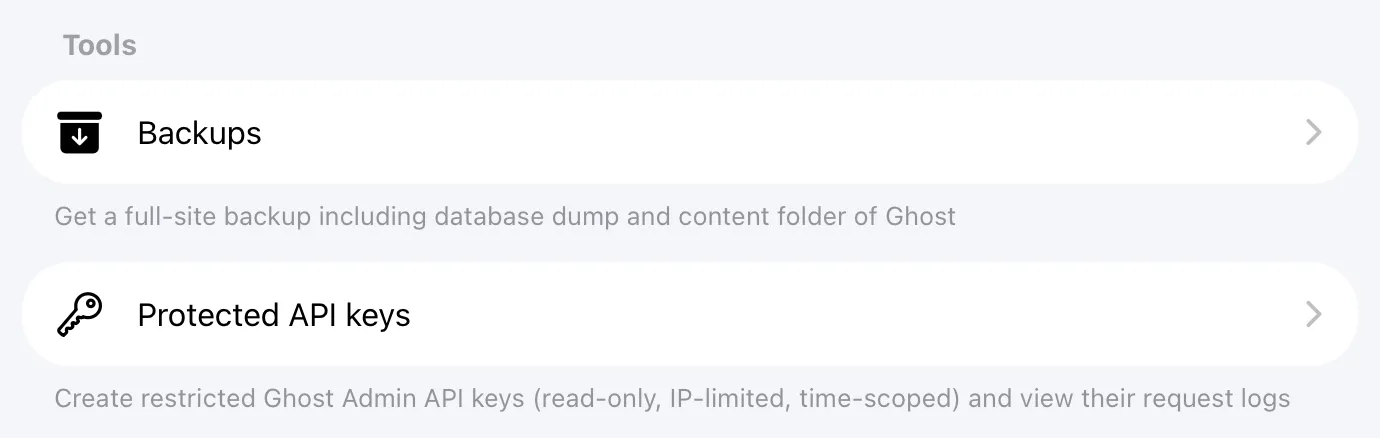
Getting started takes less than a minute
- Log in to your Synaps Media Panel
- Open your site and go to Tools → Protected API keys
- Click "Create a key", pick an access level, and save
- Copy your new key and paste it into your integration
That's it. Create your first protected key now →
For a full walkthrough, advice on choosing an access level, and answers to common questions, visit our Protected API Keys documentation →