
Synaps Media provides a fully managed CDN for all of our sites. That means you don't need to put a CDN like Cloudflare in front of Synaps Media. We strongly suggest using our managed CDN for best possible performance. But if you have to use Cloudflare as CDN, it's possible to use it by giving extra attention to some details. In this document, we'll focus on those points.

Potential Issues About Cloudflare Proxy Mode
There are some potential issues that you may experience if you use Cloudflare in Proxy Mode in front of our system.
Cloudflare blocks our verification requests
When you connect your custom domain to Synaps Media, our system needs to verify your domain points our servers properly, to make the needed configuration and issue required SSL certificates. To confirm your DNS changes, our system makes periodic requests to a special url on your domain, that normally replied by our platform. But sometimes those requests are blocked by Cloudflare WAF. That causes not being able to connect your domain.
SynapsMedia-Healthcheck/1.0 (+https://www.synapsmedia.com/healthcheck)CDN cache optimizations
We do so many optimizations on our CDN to serve your site in best possible performance. But when you use Cloudflare in front of our CDN, most of our CDN optimizations become useless. You will not able to take the advantage of our full-site CDN cache, since we have no control on Cloudflare.
Use Full Encryption Mode
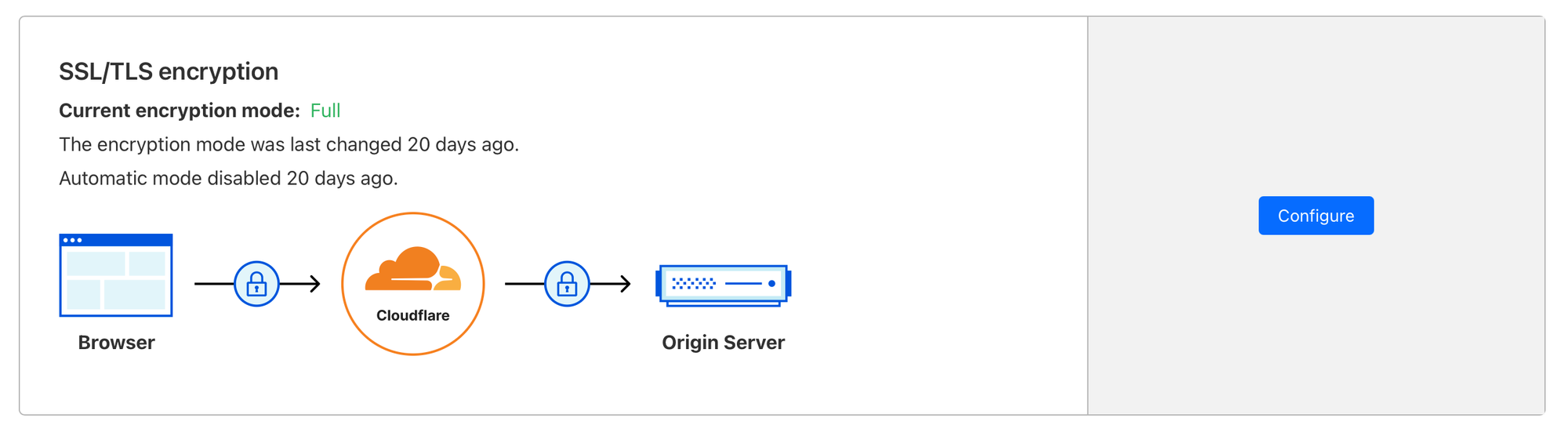
When you add CNAME record on Cloudflare with proxy mode on, Cloudflare may enable "Flexible SSL mode" by default.
This can cause infinite redirect loops because our system always redirects http traffic to https, to make sure your visitors are always navigate your site securely. We suggest to use "Full mode" in Cloudflare SSL to avoid this. You can set it on SSL/TLS page of your domain.
If you still have issues to use your custom domain with Cloudflare, please don't hesitate to reach out us with support chat.