# Synaps Media - A calmer way to run Ghost
> Managed Hosting for Ghost with automatic updates, CDN, backups, newsletter emails & GDPR‑compliant. Try for free, starting from €5.5 per month!
Public Ghost content for AI and LLM tooling. This file includes a bounded export of public pages first, then recent public posts.
Append `.md` to any post or page URL to get the content in Markdown (for example, `/example-post.md`).
## Pages
### Terms of service
URL: https://www.synapsmedia.com/terms-of-service/
Last updated: 2026-04-03T09:05:43.000Z
Effective Date: 01.01.2024
Last Update: 03.04.2026
Welcome to Synaps Media! By accessing or using our Ghost hosting services, you agree to be bound by these Terms of Service ("Terms"). If you do not agree with any part of these Terms, you may not use our Services.
## 1\. Service Description
Synaps Media provides Ghost hosting services offering unlimited storage and unlimited bandwidth to our users. Our service is designed to support the content published within the websites hosted by Synaps Media. For customers based in the European Union or who process personal data of EU residents, the use of our Services is also subject to our [Data Processing Agreement](https://www.synapsmedia.com/dpa/) ("DPA"), which forms part of these Terms. The use of our services is subject to the following conditions:
### 1.1 Unlimited Storage and Bandwidth
- **Unlimited Storage**: We provide unlimited storage capacity for content published on websites hosted by Synaps Media. This includes text, images, and other forms of media that are directly related to the content of the site.
- **Unlimited Bandwidth**: Our service includes unlimited bandwidth for the normal operation and access to websites hosted on our platform.
**Clarification**: The unlimited storage and bandwidth are intended for the normal operation of a website, including content hosting and access by visitors. It does not cover external storage, file-sharing unrelated to the website's content, or any non-standard usage patterns that could impair the performance of our platform or other users' experiences.
## 2\. Acceptable Use Policy
By using Synaps Media, you agree not to upload, post, email, transmit, or otherwise make available any content that is illegal, harmful, threatening, abusive, harassing, tortious, defamatory, vulgar, obscene, libelous, invasive of another's privacy, hateful, or racially, ethnically, or otherwise objectionable.
### 2.1 Prohibited Content
You may not use Synaps Media's services to host or distribute any content that:
- Violates any local, state, national, or international law or regulation.
- Promotes illegal activities or facilitates the creation, promotion, or dissemination of illegal materials.
- Infringes on the intellectual property rights of others.
- Contains malware, viruses, or any harmful computer code designed to interrupt, destroy, or limit the functionality of any computer software or hardware.
### 2.2 Anti-Spam and Email Usage Policy
Synaps Media strictly prohibits the use of its services for sending spam or unsolicited bulk communications.
For the purposes of these Terms, **“spam”** includes, but is not limited to:
- Sending emails to recipients who have not explicitly opted in.
- Importing, purchasing, renting, or otherwise using third-party or unverified email lists.
- Sending bulk emails without a lawful basis, valid consent, or in violation of applicable email marketing laws (including GDPR, ePrivacy Directive, CAN-SPAM, or similar regulations).
- Any activity that may harm the reputation, deliverability, or infrastructure of Synaps Media or its email service providers.
**User Responsibilities**
- You are solely responsible for ensuring that all email recipients have provided valid, verifiable, and lawful consent.
- You must be able to demonstrate opt-in consent upon request.
- You must comply with all applicable laws and regulations related to email communications and data protection.
**Monitoring and Enforcement**
- Synaps Media reserves the right to monitor email-related activities to detect abuse, spam, or suspicious behavior.
- We may temporarily suspend or permanently disable email sending, websites, or accounts without prior notice if we reasonably suspect spam or abusive behavior.
- In cases of confirmed abuse, Synaps Media may immediately terminate the account without refund.
**Liability**
- Synaps Media bears no responsibility for penalties, blacklisting, deliverability issues, or legal consequences arising from your email practices.
- Any damage caused to Synaps Media’s infrastructure, IP reputation, or third-party services due to spam activity may result in additional corrective actions, including account termination.
By using Synaps Media’s services, you acknowledge that **email functionality is a privilege, not a right**, and may be restricted or revoked to protect the platform and other users.
## 3\. Copyrighted Content
### 3.1 User Responsibility
Users are solely responsible for ensuring that any content published, stored, or shared through Synaps Media's services does not infringe upon the copyright, trademarks, or other intellectual property rights of any third party. Users must have the necessary rights, licenses, permissions, and consents to use and to authorize Synaps Media to use all intellectual property in any content uploaded or posted on the service.
### 3.2 Copyright Infringement Claims
Synaps Media respects the intellectual property rights of others and expects its users to do the same. We have the right, but not the obligation, to monitor the content hosted on our platform to determine compliance with these Terms and any other operating rules established by us. Upon receiving a proper copyright infringement claim, Synaps Media will take appropriate actions in compliance with applicable intellectual property laws, which may include removing the infringing content from our platform and/or terminating the accounts of repeat infringers in accordance with the law.
### 3.3 Disclaimer of Liability
Synaps Media expressly disclaims any legal liability for any copyright infringement conducted by users of its service. The responsibility for ensuring the non-infringing status of content published, shared, or stored on the Synaps Media platform rests entirely with the user.
## 4\. Termination
Synaps Media reserves the right to terminate your access to all or any part of the Services at any time, with or without cause, with or without notice, effective immediately, for any violation of these Terms. Upon termination, your right to use the Services will immediately cease.
## 5\. Refund Policy
Synaps Media offers a 14-day free trial with no credit card or payment information required. During the trial period, you can try all fundamental features of the service without obligation.
Your trial will not automatically convert into a paid subscription. To continue using the service after the trial ends, you must explicitly upgrade to a paid plan.
Once a paid plan is activated, all payments are **non-refundable**, including partial usage or unused time. If you believe you were charged in error or have technical issues preventing access to the service, please contact us at [support@synapsmedia.com](mailto:support@synapsmedia.com), and we’ll do our best to help.
## 6\. Changes to Terms
Synaps Media reserves the right, at our sole discretion, to modify or replace these Terms at any time. We will provide notice of such changes by posting the updated Terms to our website and updating the "Last Updated" date at the top of this document. Continued use of the Services after such changes constitutes acceptance of the revised Terms.
## 7\. Data Processing
Where Synaps Media processes personal data on behalf of the Customer in the course of providing the Services, such processing is governed by the Data Processing Agreement available at , which is incorporated into and forms part of these Terms. By accepting these Terms, EU-based customers also accept the DPA.
## 8\. Governing Law
These Terms will be governed by and construed in accordance with the laws of The Netherlands, without giving effect to any principles of conflicts of law.
## 9\. Contact Us
If you have any questions about these Terms, please contact us at [support@synapsmedia.com](mailto:support@synapsmedia.com).
By using Synaps Media, you acknowledge that you have read, understood, and agree to be bound by these Terms of Service.
---
## Change History
- 2026-04-03 – Added Data Processing Agreement reference.
- 2026-01-06 – Added Anti-Spam and Email Usage Policy.
### Privacy Policy
URL: https://www.synapsmedia.com/privacy-policy/
Last updated: 2026-04-03T09:07:15.000Z
Effective Date: 01.01.2024
Last Updated: 03.04.2026
Synaps Media is a trade name of Triofan (KVK: 92607667), Vonderveld 50, 5583GX Waalre, The Netherlands. Triofan is the data controller for personal data collected through this website and the Services.
At Synaps Media, we are committed to protecting the privacy and security of our users. This Privacy Policy outlines the types of information we collect, how it is used, and the steps we take to protect your personal information. This policy applies to all services offered by Synaps Media, including our Ghost hosting services.
## 1\. Information We Collect
### 1.1 User-Generated Content
We store all content that users enter via the Ghost admin panel, including but not limited to posts, media contents, comments, and settings. This information is stored to provide the hosting services and to ensure the proper functioning of your websites.
### 1.2 Visitor Statistics
We collect anonymous visitor statistics for the websites we host. This includes information such as page views, referral sources, and basic browser details. This data is collected to provide website owners with insights into the performance and usage of their websites. IP addresses collected for visitor statistics are anonymized by removing the last octet before storage.
### 1.3 Account Information
When you create an account with Synaps Media, we collect information such as your name, email address, and any other contact details you provide. This information is used to manage your account, provide customer support, and communicate with you about your service.
### 1.4 Payment Information
We use Stripe to collect payments. For payment related data, you can check [Stripe's Privacy Policy](https://stripe.com/privacy?ref=synapsmedia.com).
### 1.5 Referral Program
If a visitor comes to our website with a "ref" query parameter in the URL, that mostly means this visit comes from another customer's website as a part of our Referral Program. To make this system work, we save this referrer code to cookie for 90 days. If a visitor sign-ups with a referrer code in the cookie, this information saved to our database for linking the user and to the referrer.
## 2\. Use of Information
The information we collect is used to:
- Provide, operate, and maintain our services
- Improve, personalize, and expand our services
- Understand and analyze how you use our services
- Develop new products, services, features, and functionality
- Communicate with you, either directly or through one of our partners, including for customer service, to provide you with updates and other information relating to the website, and for marketing and promotional purposes
- Process your transactions
- Find and prevent fraud
## 3\. Legal Basis for Processing
We process your personal data on the following legal bases:
- **Contract:** Processing necessary to provide the Services you have subscribed to.
- **Legitimate interest:** Analytics and fraud prevention.
- **Legal obligation:** Compliance with applicable laws.
- **Consent:** Where you have explicitly provided consent, such as for marketing communications.
## 4\. Sharing of Information
We do not sell, trade, or otherwise transfer to outside parties your Personally Identifiable Information unless we provide users with advance notice. This does not include website hosting partners and other parties who assist us in operating our website, conducting our business, or serving our users, so long as those parties agree to keep this information confidential. We may also release information when its release is appropriate to comply with the law, enforce our site policies, or protect ours or others' rights, property or safety.
### Data processed on behalf of customers
Where Synaps Media hosts a Ghost instance on behalf of a customer, personal data collected by that customer's website (such as member data or contact form submissions) is processed by Synaps Media as a data processor, not a controller. Such processing is governed by our [Data Processing Agreement](https://www.synapsmedia.com/dpa/). The customer is the data controller for that data and is responsible for their own privacy obligations toward their website visitors.
## 5\. Data Security
We implement a variety of security measures to maintain the safety of your personal information. Your personal information is contained behind secured networks and is only accessible by a limited number of persons who have special access rights to such systems, and are required to keep the information confidential.
## 6\. Your Rights
Under the GDPR and other relevant laws, you have rights including access to your data, correction of any incorrect data, deletion of your data, and objection to certain uses of your data. If you wish to exercise these rights, please contact us at the details provided below.
## 7\. Data Retention
We retain your personal information only for as long as is necessary to provide the services to you and for legitimate and essential business purposes, such as maintaining the performance of the services, making data-driven business decisions, complying with our legal obligations, and resolving disputes.
## 8\. Changes to This Privacy Policy
We reserve the right to modify this privacy policy at any time, so please review it frequently. Changes and clarifications will take effect immediately upon their posting on the website. If we make material changes to this policy, we will notify you here that it has been updated, so that you are aware of what information we collect, how we use it, and under what circumstances, if any, we use and/or disclose it.
## 9\. Contact Us
If you have any questions about this Privacy Policy, please contact us at [support@synapsmedia.com](mailto:support@synapsmedia.com).
---
## Change History
- **2026-04-03** — Added legal entity identification (Triofan, KVK: 92607667). Added legal basis for processing. Added Data Processing Agreement reference clarifying processor vs. controller roles. Added IP anonymization note.
### Contact Us
URL: https://www.synapsmedia.com/contact-us/
Last updated: 2026-10-07T20:59:48.000Z
Need a hand? Send us an email or start a chat with the team. If you're looking for a quick answer, the Help Center and docs are a good place to start.
## Help Center
Find quick answers and step-by-step guides for common tasks. [Browse the Help Center](http://127.0.0.1:3001/help/?ref=synapsmedia.com)
## Email
Write to [support@synapsmedia.com](mailto:support@synapsmedia.com) and we'll get back to you as soon as we can. For anything about a specific site, include its address so we can find it straight away.
## Chat
Start a conversation with the team for quick help and questions. Use the chat button in the bottom-right corner of any page on this site.
## Follow us
Product news, Ghost tips and the occasional behind-the-scenes post:
- [Fediverse](https://fedi.pub/@synapsmedia@synapsmedia.com?ref=synapsmedia.com) — @synapsmedia@synapsmedia.com
- [Bluesky](https://bsky.app/profile/synapsmedia.com?ref=synapsmedia.com)
- [Reddit](https://reddit.com/r/SynapsMedia?ref=synapsmedia.com) — r/SynapsMedia
- [GitHub](https://github.com/synapsmedia?ref=synapsmedia.com)
- [LinkedIn](https://www.linkedin.com/company/synapsmedia?ref=synapsmedia.com)
- [YouTube](https://www.youtube.com/@synapsmedia?ref=synapsmedia.com)
- [X](https://x.com/synapsmediacom?ref=synapsmedia.com)
- [RSS](https://www.synapsmedia.com/feed/)
## Every story deserves to be heard
Start your Ghost site in minutes, with everything already set up and ready to go.
[Get started for free](https://panel.synapsmedia.com/register?ref=synapsmedia.com)
14-day free trial, no credit card required.
### Pricing
URL: https://www.synapsmedia.com/pricing/
Last updated: 2026-10-07T20:58:23.000Z
Choose a plan that fits your needs today, and adjust as you grow. Every plan starts with a 14-day free trial, no credit card required, and you can upgrade anytime.
## Two plans, one fully managed Ghost
Both plans run the same Ghost, fully managed: updates, backups, security and performance are handled for you. The difference is how far you need to go.
### Basic
Everything you need to get your site running.
- Up to 3,000 members
- 6,000 emails/month included
- Official and custom themes
- Global CDN
- Social Web
- Ghost Web Analytics
- Manage multiple sites from one account
- Daily backups and full-site export
- Automatic updates and maintenance
[Start with Basic](https://panel.synapsmedia.com/register?plan=basic&ref=synapsmedia.com)
### Premium
More power and flexibility as your site grows. Everything in Basic, plus:
- Unlimited members and staff users
- 12,000 emails/month included
- Premium CDN, served from 10x more locations
- Email Inboxes — 5 mailboxes on your own domain (Premium only)
- Advanced Web Analytics (Premium only)
- Custom Sending Domain
- Custom Integrations, Admin API, webhooks and Zapier
- Larger file uploads, up to 500 MB per file
[Start with Premium](https://panel.synapsmedia.com/register?plan=premium&ref=synapsmedia.com)
## Pay monthly, or commit and save
Pay month to month, or pay for 1, 2 or 3 years upfront at a lower monthly rate. Prices are shown in your local currency and exclude VAT.
## Running more than one site?
You get 10% off from your second site onwards, applied automatically as you grow. All your sites are managed from one account. [Learn more about hosting multiple sites](https://www.synapsmedia.com/help/hosting-multiple-sites-on-synaps-media/)
## Need more newsletter credits?
Each plan includes a monthly newsletter sending allowance. When you need more, add extra credits in packs of 10,000 or 100,000\. [Learn more about newsletter credits](https://www.synapsmedia.com/help/how-to-use-newsletter-credits/)
> "I love Ghost but I was feeling restrained by the limits of Ghost(Pro), especially for a small, one person hobby operation. Synaps has been an absolute delight. Transfer was simple, support has been proactive, and I haven't missed Ghost(Pro) since switching."
> — Kasey McDonnell, wellyclimatenerd.net
## Compare plans
| | Basic | Premium |
| ----------------------- | ------------------ | ------------------- |
| **Essentials** | | |
| Official themes | Yes | Yes |
| Custom themes | Yes | Yes |
| Staff users | 3 | Unlimited |
| Newsletters | Unlimited | Unlimited |
| File uploads (per file) | 10 MB | 500 MB |
| **Audience** | | |
| Members | 3,000 | Unlimited |
| Newsletter credits | 6,000 emails/month | 12,000 emails/month |
| Social Web | Yes | Yes |
| **Platform** | | |
| Fully managed service | Yes | Yes |
| Automatic updates | Yes | Yes |
| Worldwide CDN | Yes | Yes |
| Premium CDN | — | Yes |
| Automated backups | Yes | Yes |
| Free SSL certificate | Yes | Yes |
| Subdirectory install | Yes | Yes |
| **Custom domain** | | |
| Domain Manager | Yes | Yes |
| Email Inboxes | — | 5 inboxes |
| Email forwarders | 1 | 10 |
| Custom Sending Domain | — | Yes |
| **Analytics** | | |
| Email analytics | Yes | Yes |
| Web Analytics | Yes | Yes |
| Advanced Web Analytics | — | Yes |
| **Integrations** | | |
| Content API | Yes | Yes |
| Slack | Yes | Yes |
| Embedded media | Yes | Yes |
| Zapier | — | Yes |
| Custom Integrations | — | Yes |
| Admin API | — | Yes |
| Webhooks | — | Yes |
## Moving from another host?
Already running Ghost somewhere else? Moving is straightforward — your content, members and settings come with you.
- Content and members migration support
- Custom domain setup included
- No downtime during the move
- Free migration assistance on all plans
It takes four steps:
1. Sign up and choose your plan.
2. We set up your Ghost site.
3. Import your existing content.
4. Point your domain — you're live.
> "I really appreciated the customer support that Synaps provided when migrating my blog over from WordPress, even before I was a paying customer. So far, the hosting has been rock solid and speedy."
> — Allen Cheung, allenc.com
## Questions you might have about pricing
#### Which payment methods do you accept?
We accept all major credit cards, PayPal, and bank transfers for annual plans.
#### Can I switch between plans?
Yes. You can upgrade or downgrade at any time. Billing is prorated for the time left in your current billing cycle, and the change takes effect immediately.
#### Can I try before I buy?
Yes. Every plan starts with a 14-day free trial, no credit card required. If you decide not to continue, your site is paused, then deleted after 30 days.
#### Can I cancel my subscription anytime?
Yes. Your site stays active until the end of your current billing period.
#### Do I get a refund if I cancel?
No. We don't offer refunds for cancelled subscriptions.
#### Are prices shown with VAT?
No. Prices exclude VAT. Where VAT applies, it's added on top.
#### Do you have special pricing for non-profits or education?
Yes. We offer special pricing for non-profits and educational institutions. Contact us for details.
## Every story deserves to be heard
Start your Ghost site in minutes, with everything already set up and ready to go.
[Get started for free](https://panel.synapsmedia.com/register?ref=synapsmedia.com)
14-day free trial, no credit card required.
### Fair Usage Policy
URL: https://www.synapsmedia.com/fair-usage-policy/
Last updated: 2025-08-26T11:59:24.000Z
At Synaps Media, our vision is making process of having a website as easy as creating a social media account. We believe this will create real solution to have independent and decentralized internet. But this requires providing a service with a simplified set of rules. As a non-technical content creator, "100 GB Bandwidth Limit" may not give any idea about the potential effects of that for them. And we think mentioning -even very big- limits, discourage people to create a website to publish their content.
When we mention "unlimited" in our plan features, we mean no-limit for a regular usage that matches with the purpose of this service: "publishing your content in your website hosted on Synaps Media". This includes:
- Creating posts and pages as much as you want in your Ghost website hosted on Synaps Media.
- Putting any number of images in your posts or pages, in your website hosted on Synaps Media.
- Putting audio, video or other types of files to your posts and pages, as much as it's needed as part of your content.
But there are some use-cases that doesn't match of the purpose of service given by Synaps Media. Some examples would be:
- Using your hosting plan as a cloud storage, alternative to iCloud or Google Drive.
- Uploading files to website hosted on Synaps Media and providing them outside of the website hosted on us. Like uploading videos here and embedding them on other websites.
So for keeping our services affordable for every one, we have **soft limits** for every type of resources we mention as "unlimited". Those soft limits are the limits those are very surprising to see in a regular website. When we see a web site is about to hit a soft limit on a resource, we'll check your website and try to understand what is happening. We may reach you to discuss about the situation as well. If it's just because of you made it and your website featured in CNN News, we'll celebrate together. 😊 Otherwise we'll kindly ask you to upgrade your plan to a plan that will specially organized for you or, we may suspend your website if there is no other way.
In short, nothing to worry about "Fair Usage Policy" for you. If you doubt about your use-case and have question marks, please feel free to write us by emailing `help@synapsmedia.com`.
### About Us
URL: https://www.synapsmedia.com/about-us/
Last updated: 2026-09-21T09:51:40.000Z
**Synaps Media** is a fully managed hosting service for [Ghost CMS](https://ghost.org/?ref=synapsmedia.com), designed to make publishing your website or newsletter as easy as posting on social media, with full control and ownership of your content.

We’re not a faceless platform or a venture-backed startup aiming for a big exit. We’re a human-centered, mission-driven project built by creators, for creators. Synaps Media is a sub-brand of Triofan, founded in 2024 by [Murat Çorlu](https://muratcorlu.com/?ref=synapsmedia.com) in the Netherlands.
## **Our Vision**
We believe the internet needs more *independent voices*. But great content creators often face unnecessary technical or financial barriers.
Our goal is to break those barriers by offering a fast, secure, and simple Ghost CMS experience, so you can focus on your content, not the infrastructure.
Whether you’re running a blog, newsletter, magazine, or creative portfolio, Synaps Media gives you the tools to publish freely, scale easily, and keep ownership of your site.
## **Our Commitments**
- **Human-first, always.** We support real people, not profit-maximizing pipelines.
- **No “exit dreams.”** We’re building a sustainable service to last, not to sell.
- **Backed by open-source.** We rely on open-source tools and plan to give back regularly through code, contributions, and funding.
If you’re curious or have any questions, drop us a message at [support@synapsmedia.com](mailto:support@synapsmedia.com) or reach out via live chat. We’re happy to help.
### Synaps Media Health-Check Bot
URL: https://www.synapsmedia.com/healthcheck/
Last updated: 2026-07-03T14:25:04.000Z
Synaps Media uses an automated bot to verify custom domain connections. You can allowlist it using any of the following, from least to most rigorous:
**1\. User-Agent** (easiest, but spoofable on its own)
```
SynapsMedia-Healthcheck/1.0 (+https://www.synapsmedia.com/healthcheck)
```
**2\. Source IP** (recommended — this is a dedicated, fixed IP we control, not shared hosting)
```
78.47.190.89
```
Machine-readable list (for automation):
```
https://www.synapsmedia.com/assets/healthcheck-ips.txt
```
**3\. Forward-confirmed reverse DNS (FCrDNS)** — the strongest guarantee. `78.47.190.89` resolves in reverse to `proxy.synaps.media`, and `proxy.synaps.media` resolves forward back to `78.47.190.89`. If your bot protection supports FCrDNS verification, point it at this.
**4\. Cryptographic signing (Web Bot Auth / RFC 9421)**
Every active probe is signed per the [Web Bot Auth](https://developers.cloudflare.com/bots/reference/bot-verification/web-bot-auth/?ref=synapsmedia.com) profile of RFC 9421 HTTP Message Signatures. Our public key is published as a JWKS directory at:
```
https://www.synapsmedia.com/.well-known/http-message-signatures-directory
```
If your bot-management provider supports Web Bot Auth / RFC 9421 verification, you can validate our requests directly against this key — independent of IP or User-Agent.
## Cloudflare WAF rule (recommended)
If you are using Cloudflare, create a Custom Security Rule that skips Bot Fight Mode / Super Bot Fight Mode / Managed Challenge for our IP:
- Field: `IP Source Address` — Operator: `equals` — Value: `78.47.190.89`
- Then: **Skip** → Bot Fight Mode, Super Bot Fight Mode, Managed Challenge
### Data Processing Agreement (DPA)
URL: https://www.synapsmedia.com/dpa/
Last updated: 2026-04-03T08:34:57.000Z
**In Accordance with Article 28 of the General Data Protection Regulation (GDPR)**
## 1\. Subject Matter and Relationship
This DPA forms part of the Terms of Service ("Agreement") and governs the processing of personal data by Synaps Media on behalf of the Customer. This DPA shall prevail over the Agreement regarding data protection matters.
## 2\. Roles and Instructions
- The Customer acts as Controller and Synaps Media acts as Processor.
- Synaps Media shall process personal data only on documented instructions from the Customer. The Agreement and the Customer’s use of the Services constitute the complete and ongoing instructions.
- Synaps Media shall inform the Customer without undue delay if, in its opinion, an instruction infringes the GDPR or other applicable data protection provisions.
## 3\. Sub-processors
- The Customer grants a general authorization for Synaps Media to engage sub-processors. The current list is maintained at:
- Synaps Media may update this list from time to time. Continued use of the Services after such updates constitutes acceptance of the new sub-processors.
## 4\. Security and Confidentiality
- Synaps Media shall implement appropriate technical and organizational measures to ensure a level of security appropriate to the risk (Art. 32 GDPR).
- Synaps Media ensures that all personnel authorized to process data are subject to confidentiality obligations.
## 5\. Assistance and Audits
- Taking into account the nature of the processing, Synaps Media shall assist the Customer in fulfilling data subject rights requests. Self-service features within the Ghost CMS interface are the primary means for such assistance.
- Synaps Media reserves the right to charge a reasonable fee for assistance that requires significant manual effort.
- Synaps Media shall provide necessary documentation to demonstrate compliance. Physical on-site audits are excluded.
## 6\. Personal Data Breach
Synaps Media shall notify the Customer without undue delay after becoming aware of a personal data breach affecting data processed under this DPA.
## 7\. International Data Transfers
Personal data is primarily stored within the EU/EEA. Certain processing activities (such as email routing or content delivery) may involve transfers outside the EU/EEA, subject to appropriate safeguards such as Standard Contractual Clauses (SCCs).
## 8\. Termination and Deletion
Upon termination of the Services, Synaps Media shall delete personal data within **30 days**, unless retention is required by law. Encrypted backups may persist for up to 60 days before being deleted.
---
## Annex A – Processing Details
| Field | Description |
| ---------------------- | ---------------------------------------------------------------------------------------------------------------------------- |
| **Subject matter** | Managed Ghost CMS hosting services. |
| **Duration** | For the duration of the Agreement and until deletion of data. |
| **Nature and Purpose** | Hosting, storage, and technical operation of the Ghost CMS instance. |
| **Type of Data** | Names, emails, IP addresses, and any other personal data processed within the Customer’s Ghost instance. |
| **Responsibilities** | The Customer is responsible for ensuring the legal basis for all processed data, including special categories (Art. 9 GDPR). |
| **Data Subjects** | Website visitors, subscribers, and the Customer's authorized users. |
---
**Acceptance:** This DPA is incorporated into the Agreement. By subscribing to or using the Services, the Customer agrees to these terms. No separate signature is required.
*Last updated: April 03, 2026*
ℹ️
If you require a countersigned copy or have any questions for your own legal process, reach out to us at [support@synapsmedia.com](mailto:support@synapsmedia.com).
### DPA Sub-Processors
URL: https://www.synapsmedia.com/dpa-sub-processors/
Last updated: 2026-10-18T13:29:11.000Z
*Last updated: April 03, 2026*
Synaps Media (Triofan) uses a limited number of carefully selected third-party service providers ("sub-processors") to deliver its hosting services. Each sub-processor has been evaluated for GDPR compliance, and Synaps Media maintains a Data Processing Agreement with each one.
This page is kept up to date. Customers will be notified of any changes in accordance with Section 3 of the [Data Processing Agreement](https://www.synapsmedia.com/dpa/).
| Sub-processor | Location | Purpose | Safeguard |
| ---------------------------- | -------------------- | ---------------------------------------------------------------------------------------- | ---------------------------------------------------------------------------------------------------------------------------------------- |
| Hetzner Online GmbH | Germany (EU) | Server infrastructure | [DPA in place](https://www.hetzner.com/AV/DPA%5Fen.pdf?ref=synapsmedia.com) |
| BunnyWay d.o.o. (Bunny.net) | EU-based, global CDN | Content delivery; static content cached globally, personal data (logs) stored in EU only | [DPA in place](https://bunny.net/gdpr?ref=synapsmedia.com) |
| Mailgun Technologies (Sinch) | Germany (EU) | Email delivery | [DPA in place](https://sinch.com/legal/terms-and-conditions/other-sinch-terms-conditions/data-processing-agreement/?ref=synapsmedia.com) |
| Stripe Payments Europe, Ltd. | Ireland (EU) | Payment processing | [DPA in place](https://stripe.com/en-nl/legal/dpa?ref=synapsmedia.com) |
| Backblaze, Inc. (B2) | Amsterdam (EU) | File storage and backups | [DPA in place](https://www.backblaze.com/company/policy/dpa-for-eea-eu-residents?ref=synapsmedia.com) |
*If you have questions about our sub-processors or data processing practices, please contact us at [support@synapsmedia.com](mailto:support@synapsmedia.com).*
### Imprint (Legal Notice)
URL: https://www.synapsmedia.com/imprint/
Last updated: 2026-10-07T21:00:19.000Z
## Company Information
**Trade name:** Synaps Media
**Legal entity:** Triofan
**Legal form:** Eenmanszaak (Sole Proprietorship / ZZP)
**Registered address:** Vonderveld 50, 5583GX Waalre, The Netherlands
**Chamber of Commerce (**[**KVK**](https://www.kvk.nl/?ref=synapsmedia.com)**) number:** 92607667
**VAT identification number (BTW-nummer):** NL004964101B06
**Owner / Person responsible for content:** Murat Çorlu
## Contact
**Email:** support@synapsmedia.com
## Dispute Resolution
The European Commission provides a platform for online dispute resolution (ODR), available at: [https://ec.europa.eu/consumers/odr](https://ec.europa.eu/consumers/odr?ref=synapsmedia.com)
## Disclaimer
Synaps Media makes every effort to keep the information on this website accurate and up to date. However, no rights can be derived from the content of this website. Synaps Media accepts no liability for damages resulting from the use of, or inability to use, this website or the services offered through it, except in cases of intent or gross negligence.
---
*Last updated: August 2026*
## Posts
### Ghost 6.72 on Synaps Media
URL: https://www.synapsmedia.com/ghost-updates/ghost-6-72-on-synaps-media/
Last updated: 2026-10-20T19:00:00.000Z
All of the Ghost websites hosted in Synaps Media are automatically upgraded to the latest version (v6.72). You can find a list of features/fixes released with this version by visiting the official release notes with the link below.
[Release v6.72.0 · TryGhost/Ghost✨ Added Stripe Checkout design customisation - Rob Lester ✨ Released editor fonts, distraction-free writing and other editor improvements (#32061) - Peter Zimon 🎨 Moved automation renaming to the e…GitHub](https://github.com/TryGhost/Ghost/releases/tag/v6.72.0?ref=synapsmedia.com)
Would you like to try the latest version of Ghost in a few minutes?
[Start 14-days Free Trial ](https://panel.synapsmedia.com/register?ref=synapsmedia.com)
### Ghost 6.71 on Synaps Media
URL: https://www.synapsmedia.com/ghost-updates/ghost-6-71-on-synaps-media/
Last updated: 2026-10-15T13:53:17.000Z
All of the Ghost websites hosted in Synaps Media are automatically upgraded to the latest version (v6.71). You can find a list of features/fixes released with this version by visiting the official release notes with the link below.
[Release v6.71.0 · TryGhost/Ghost✨ Added paid tier-based automation triggers (#31937) - Evan Hahn ✨ Added a way to move social web followers out of Ghost (#31848) - louisghost 🎨 Improved display of long tag and author names in pos…GitHub](https://github.com/TryGhost/Ghost/releases/tag/v6.71.0?ref=synapsmedia.com)
Would you like to try the latest version of Ghost in a few minutes?
[Start 14-days Free Trial ](https://panel.synapsmedia.com/register?ref=synapsmedia.com)
### Introducing Complete Search, powered by Vellumine
URL: https://www.synapsmedia.com/changelog/introducing-complete-search-powered-by-vellumine/
Last updated: 2026-10-14T17:50:08.000Z
Every Ghost website has a built-in search, which is practical and fast. But it has some caveats:
- It doesn't include pages in search results. Only posts, tags and authors.
- It only searches within post titles and excerpts. Not the actual content.
- It doesn't include member-only posts in search results at all.
- It can search within up to the last 10,000 posts. If you surpass this number, you start missing old posts in search results.
- It doesn't give any insights about search keywords.
Some of those lacking features are critical for some publications.
That's why we partnered with [Vellumine](https://vellumine.com/?ref=synapsmedia.com), an independent search service built specifically for Ghost sites, to bring you **Complete Search**.
### What changes for your readers
Complete Search reads the whole content, not just the title and excerpt. So if someone's looking for a phrase you used halfway through a post from two years ago, they'll actually find it.
A few things it adds on top of that:
- **Pages are searchable too.** Your About, Contact and any documentation pages show up alongside your posts.
- **Member-only content is findable, safely.** Paid posts appear in search results for your members, without exposing the content to people who haven't paid for it.
- **No post limit.** Every post you've ever published stays searchable, however many you have.
- **You get to see what people are searching for.** Which keywords come up most, and just as importantly, which searches come back empty. Usually a pretty direct list of what to write next.
### Turning it on takes a few clicks
No scripts to paste into your theme, no API keys to copy between dashboards. Enable Complete Search from your Synaps Media panel, and Vellumine indexes your site in the background. From that point on, your search just works differently. Nothing else on your site changes.
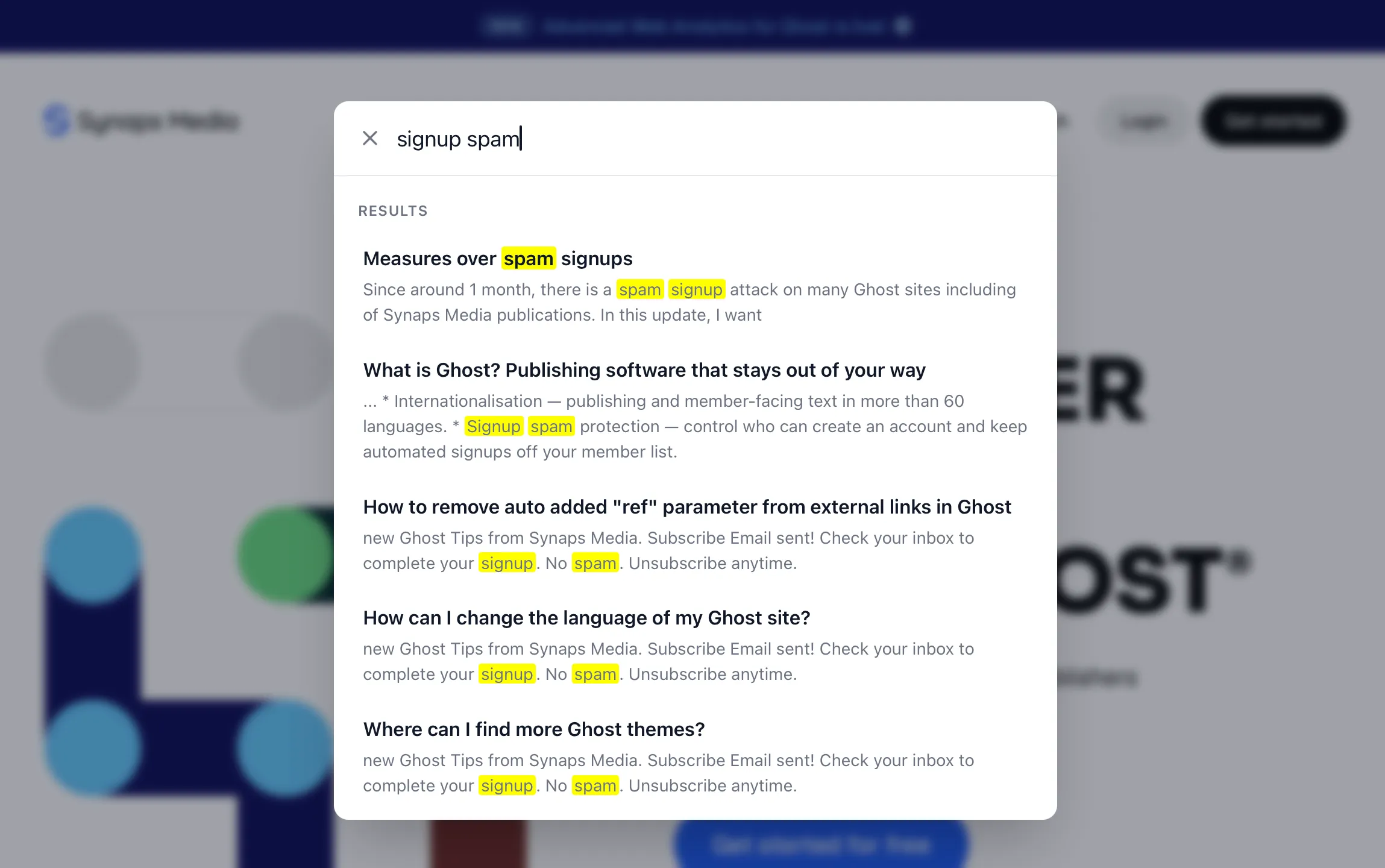
Complete Search looks the same as built-in search, with better results
### Pricing
Complete Search is available as an add-on on the Basic and Premium plans, for €5/month or €48/year per site (final price may vary slightly with your account currency and local taxes). Enable or cancel it whenever you like, it's billed together with your regular plan.
[Enable Complete Search →](https://panel.synapsmedia.com/?ref=synapsmedia.com)
## FAQ
#### How does it work?
When you enable the add-on, we arrange a [protected API key](https://www.synapsmedia.com/help/using-protected-api-keys/) for Vellumine with read-only access. So Vellumine can only access the content but can't change anything on your site. While Vellumine indexes your content, we automatically inject its search UI to your website, which replaces built-in Sodo Search. Then, your readers can enjoy fast and accurate search and you can see what your readers are searching for!
#### Why Vellumine?
Vellumine is a safe, fast and GDPR-compliant search service for Ghost. The quality it provides matches our high-level standards. Instead of creating our own solution, we wanted to invest in the Ghost ecosystem with this partnership. This way we can invest more in improving Synaps Media with our small team.
#### Do I need a Vellumine account?
No. You don't need to do anything on Vellumine service to use this service with your Ghost publication running on Synaps Media.
#### Will we have X feature for search soon?
Current supported feature set for Complete Search is the first phase of this partnership. We'll actively look for improving this integration in time, with new features and opportunities to provide best benefits for Synaps Media publishers.
To learn more about using Complete Search, please refer to our [detailed document](https://www.synapsmedia.com/help/using-complete-search-add-on/).
### Complete Search for Ghost on Synaps Media
URL: https://www.synapsmedia.com/features/complete-search/
Last updated: 2026-10-14T17:48:06.000Z
Full-content search for your Ghost site, powered by Vellumine. One click in your Synaps Media panel — no scripts to paste, no API keys to share.
## Search the whole site, not the surface
Ghost's built-in search reads titles and excerpts. Complete Search indexes everything you publish and returns the passage that actually matched.
**Full content search.** Readers find posts by a phrase buried halfway down the page, not only by the headline.
**Pages, not just posts.** About, contact, documentation and every other page are searchable alongside your archive.
**Members-only content, safely.** Paid posts are findable by your members without exposing the content to everyone else.
**Search insights.** See what people search for — and what they searched for and didn't find.
## One click, then it just works
No scripts in your theme, no API keys to copy between dashboards. Turn it on in the panel and Vellumine takes it from there.
[Get started for free](https://panel.synapsmedia.com/register?ref=synapsmedia.com)
1. Enable Complete Search in your panel.
2. Vellumine indexes your posts and pages.
3. Your site search reads everything.
## Built by search specialists
Vellumine is an independent search service built specifically for Ghost websites. Complete Search is that service, wired into Synaps Media hosting for you. [More about Vellumine](https://vellumine.com/?ref=synapsmedia.com)
- Purpose-built for Ghost
- Independent service, integrated by us
- Full-text and semantic search
- Privacy-first analytics
- GDPR compliant
- No keys or scripts to manage yourself
- Billed with your Synaps Media plan
## What your readers were looking for
Search is the clearest signal you have about what your audience wants. Complete Search reports the queries people type, and the ones that came back empty.
- **Searched keywords** — what readers ask for most.
- **Zero-result searches** — gaps worth writing about.
- **Trends over time** — how interest shifts week to week.
- **In your panel** — alongside your other site data.
## Built-in search vs Complete Search
Ghost ships with a fast, lightweight search. Complete Search replaces it when you need to find things inside the content.
| | Ghost built-in search | Complete Search |
| ------------------------ | ----------------------------------- | ------------------------------------ |
| **Included with** | Every Ghost site | Add-on on Basic and Premium |
| **What it matches** | Titles and excerpts, posts and tags | Full content of posts and pages |
| **Members-only content** | Not included | Findable without exposing it |
| **Search insights** | Not available | Searched keywords and empty searches |
| **Setup** | Built in | One-click, no API keys |
| **Your theme** | — | Works with your existing theme |
## Add-on pricing
Complete Search is available as an add-on on both the Basic and Premium plans. Enable or cancel it any time — it's billed alongside your plan. [See all pricing](https://www.synapsmedia.com/pricing/)
## FAQ
#### What does Complete Search index?
The full content of your posts and pages, not only titles and excerpts. Members-only posts are indexed too, and their content stays behind your paywall.
#### How do I turn it on?
Enable it for your site in the Synaps Media panel. There are no scripts to add to your theme and no API keys to copy.
#### Is members-only content exposed?
No. Paid posts are searchable, but the matched passage is only shown to members who already have access to that content.
#### Who is Vellumine?
Vellumine is an independent search service for Ghost websites. Complete Search is our one-click integration of it, so you get the full service without setting it up yourself.
#### Which plans can use it?
Both. Complete Search is a paid add-on on Basic and Premium, billed per site.
#### Can I cancel it later?
Yes. Disable the add-on any time and your site falls back to Ghost's built-in search. The remaining amount of your payment will be credited to your account to use in your next payment.
## Let readers find everything you wrote
Add Complete Search to your site in one click.
[Get started for free](https://panel.synapsmedia.com/register?ref=synapsmedia.com)
14-day free trial • No credit card required
### Using Complete Search add-on
URL: https://www.synapsmedia.com/help/using-complete-search-add-on/
Last updated: 2026-10-14T17:47:53.000Z
Complete Search is an add-on feature in Synaps Media that allows you to use a better search in your Ghost publication compared to the built-in search. By enabling Complete Search for your Ghost site:
- Search will be done inside article contents, instead of just their titles and excerpts.
- Search results will include pages as well.
- Search will be done in member-only posts too, without exposing their full content to non-members.
- You will not be limited to 10,000 posts to search, as in the built-in search.
- You will be able to see search insights like most searched keywords, most clicked search results and searches without any results.
Complete Search is powered by [Vellumine](https://vellumine.com/?ref=synapsmedia.com), an independent search service for Ghost. We have partnered with Vellumine to provide their expertise with publishers in Synaps Media, with a safe, easy and affordable way.
## How to enable Complete Search
To enable Complete Search addon, go to your site settings on Synaps Media Panel. Scroll down to the Add-ons section. You will see Complete Search button.

Clicking it will open the add-on enable dialog.
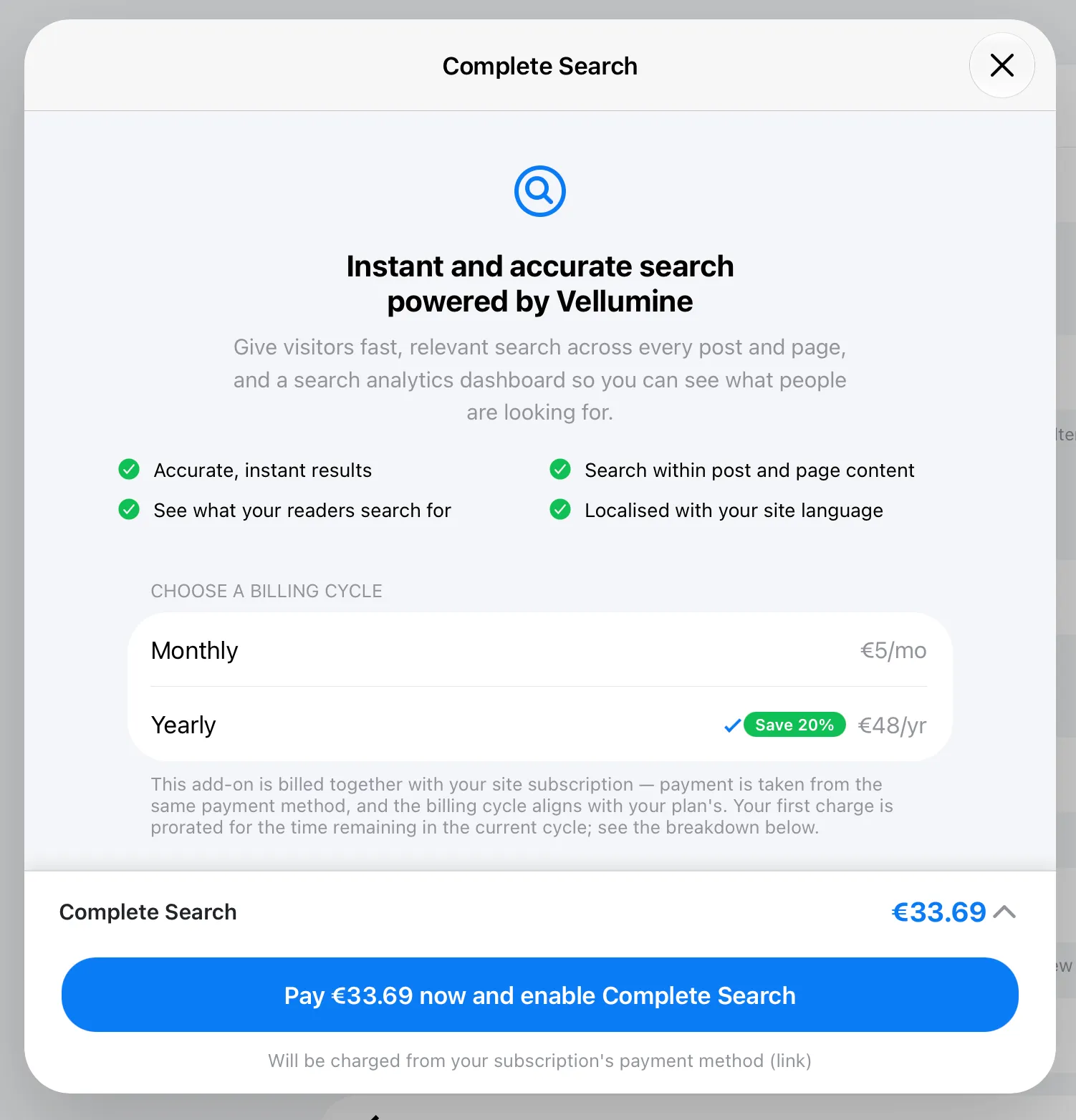
An example dialog for enabling Complete Search add-on
Clicking "Pay X now and enable Complete Search" button will withdraw the amount for the current period from your payment method of site subscription. Add-on payment date aligns with your site subscription. Because of that, if you pick a billing cycle longer than the current site subscription renewal, your first payment will be a partial payment from today to the site subscription renewal date.
After payment approval, your content will be started to indexing and with a quick deployment, your site will automatically start working with the Complete Search UI.
## Configuring Complete Search
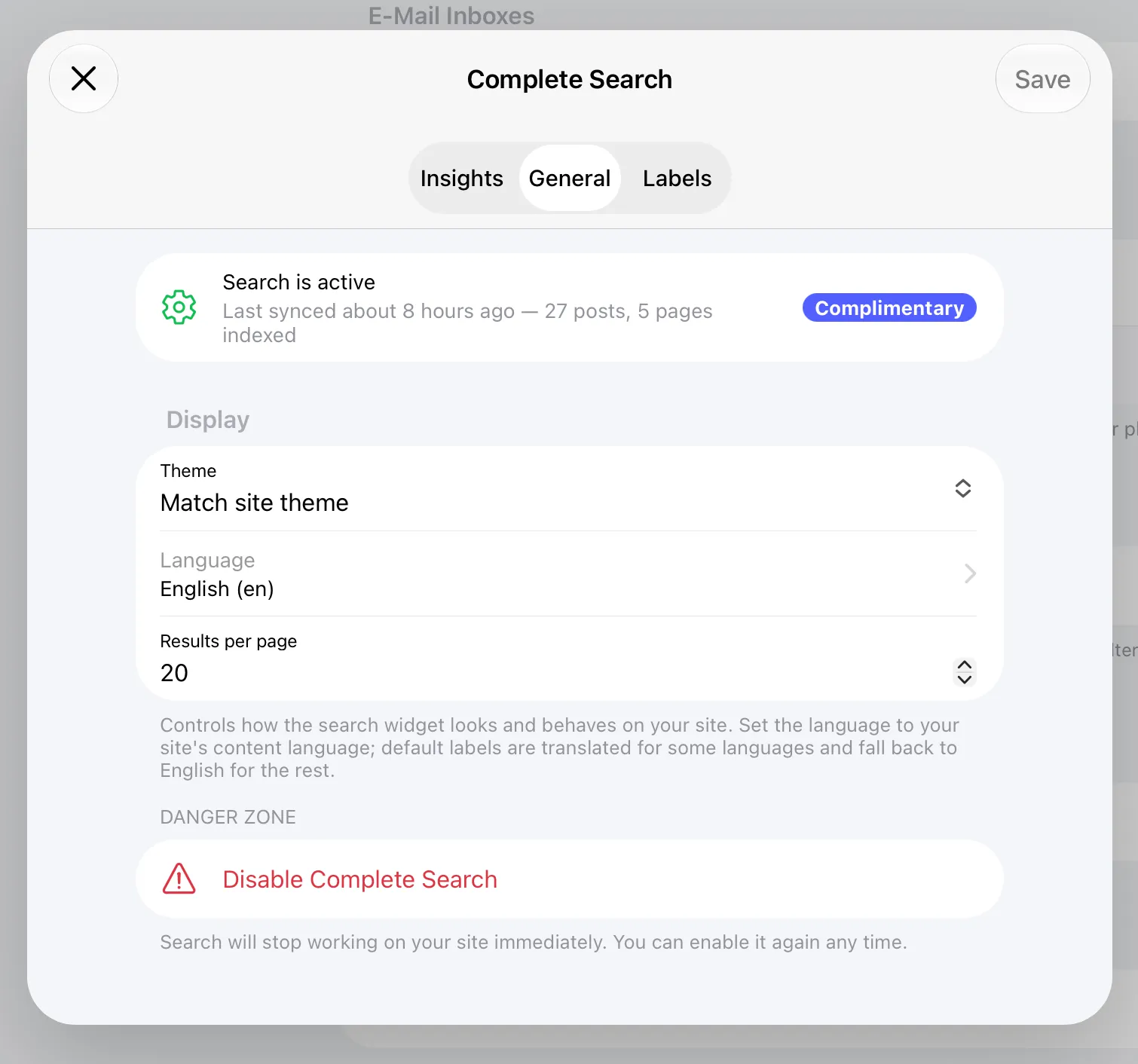
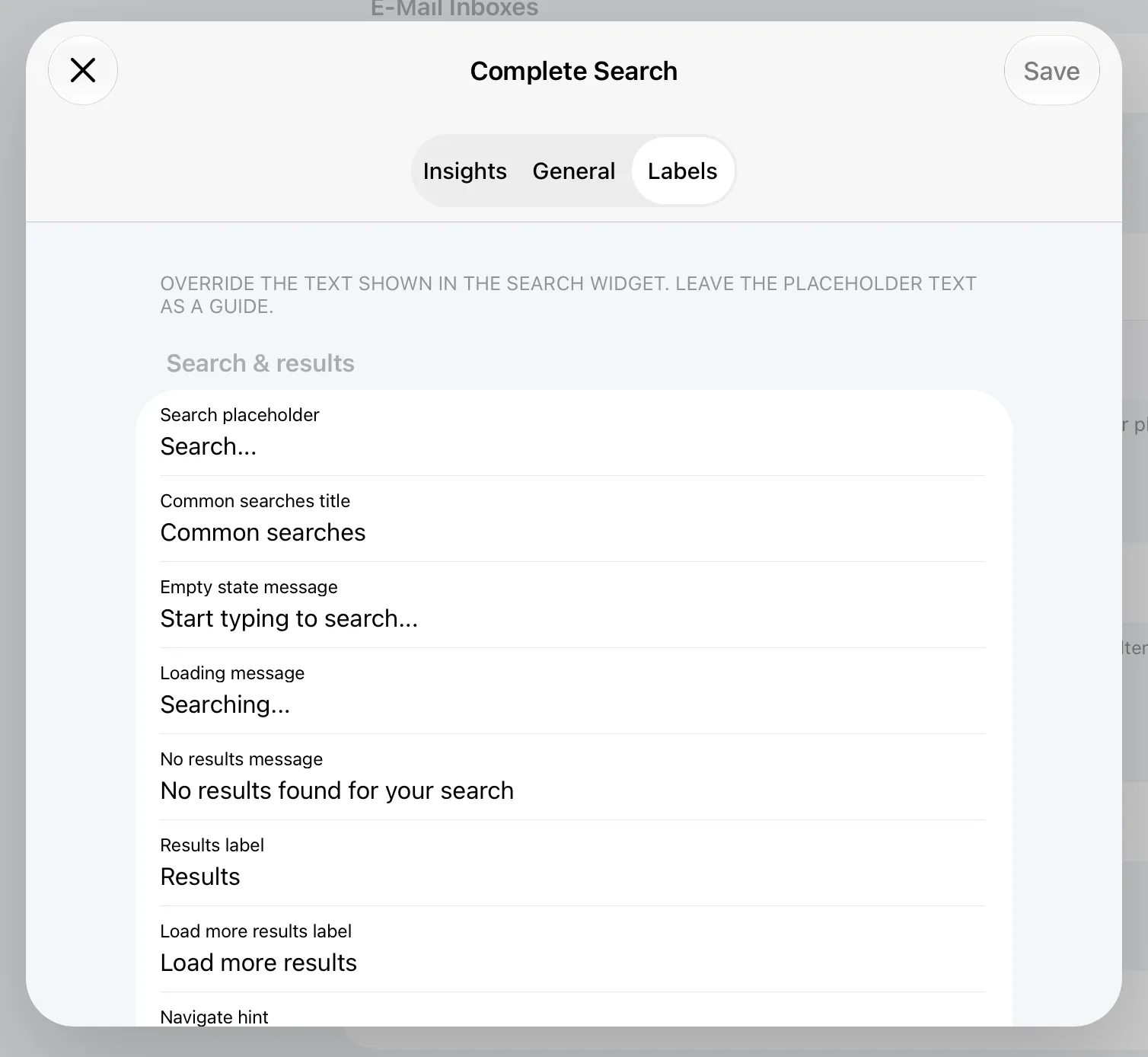
Once you enable add-on, it'll immediately start indexing your content, and then search will be active on public site in a few minutes. By default, the search UI matches your theme and site language. But you can customize the theme, language and individual texts used on UI
You can see search insights in "Insights" tab. Here you can:
- See the total search clicks
- Most searched keywords
- Keywords with no results
- Most clicked posts/pages and their tags
All stats are for the last 30 days.
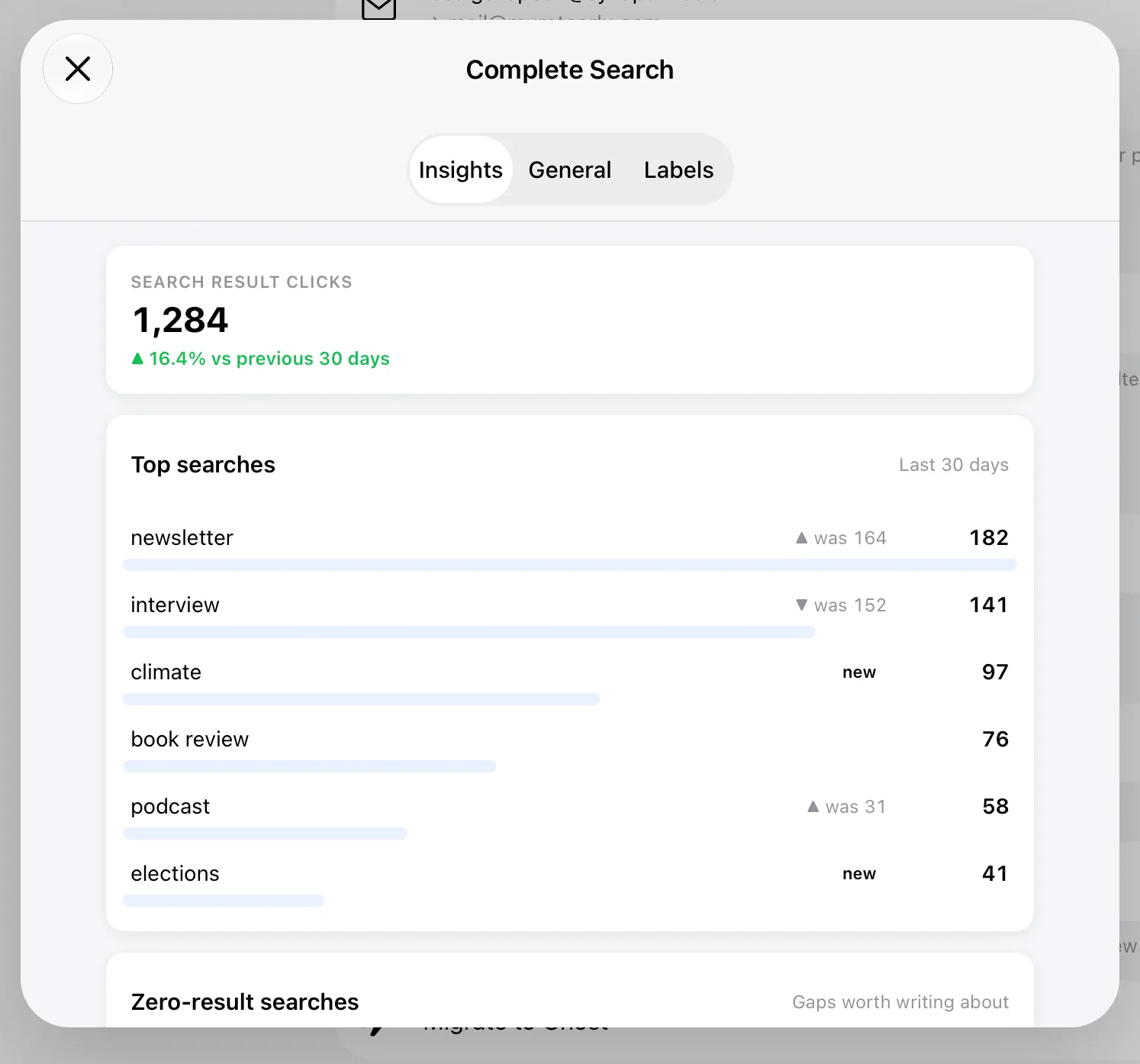
Example view of search insights
## Cancel Complete Search
You can cancel Complete Search add-on whenever you want. When you cancel it, complete-search functionality will stop working immediately and your site will return back to Ghost's built-in search.
The amount for the remaining part you paid for the add-on will be credited to you account balance. Your account balance will be used in your next payment automatically.
## FAQ
#### What is Vellumine?
Vellumine is an independent search service Ghost sites. It's operating from Germany, GDPR-compliant, fast and secure. For more information check Vellumine website: [https://vellumine.com](https://vellumine.com/?ref=synapsmedia.com)
#### Why I can't pick yearly plan for Complete Search add-on?
Add-on payment cycles align with the site subscriptions they are attached to. If you have monthly subscription for your site, you can pay Complete Search also in only monthly only period. If you are in yearly+ subscription, you have option to pick monthly or yearly payments for the add-on.
#### Why is my payment amount less than the shown price?
Because add-on payment cycles align with the site subscriptions they are attached to, your first payment may be partial depending to your site subscription due date. For example, if you have yearly subscription for your site and your on 6th month of your current cycle, your yearly payment for Complete Search add-on will start with half-year payment to align next payment date with site subscription. Starting from next period, you will able to make single payment for your site and add-on (if their payment periods match)
Do you have more questions? Please don't hesitate to reach out to our support.
### Ghost 6.70 on Synaps Media
URL: https://www.synapsmedia.com/ghost-updates/ghost-6-70-on-synaps-media/
Last updated: 2026-10-13T17:30:18.000Z
All of the Ghost websites hosted in Synaps Media are automatically upgraded to the latest version (v6.70). You can find a list of features/fixes released with this version by visiting the official release notes with the link below.
[Release v6.70.0 · TryGhost/Ghost✨ Released navigation URL suggestions (#31914) - louisghost ✨ Updated Settings sidebar design (#31725) - Steve Larson ✨ Removed Ember from the codebase (#31609) - Steve Larson ✨ Added Settings shor…GitHub](https://github.com/TryGhost/Ghost/releases/tag/v6.70.0?ref=synapsmedia.com)
Would you like to try the latest version of Ghost in a few minutes?
[Start 14-days Free Trial ](https://panel.synapsmedia.com/register?ref=synapsmedia.com)
### Ghost 6.69 on Synaps Media
URL: https://www.synapsmedia.com/ghost-updates/ghost-6-69-on-synaps-media/
Last updated: 2026-10-07T14:44:33.000Z
All of the Ghost websites hosted in Synaps Media are automatically upgraded to the latest version (v6.69). You can find a list of features/fixes released with this version by visiting the official release notes with the link below.
[Release v6.69.0 · TryGhost/Ghost✨ Released automation analytics (#31502) - Chris Raible ✨ Released self-serve site exports (#31283) - Michael Barrett 🐛 Fixed Unsplash search sometimes showing results for a partial term (#31087) -…GitHub](https://github.com/TryGhost/Ghost/releases/tag/v6.69.0?ref=synapsmedia.com)
Would you like to try the latest version of Ghost in a few minutes?
[Start 14-days Free Trial ](https://panel.synapsmedia.com/register?ref=synapsmedia.com)
### Ghost 6.68 on Synaps Media
URL: https://www.synapsmedia.com/ghost-updates/ghost-6-68-on-synaps-media/
Last updated: 2026-10-06T17:12:20.000Z
All of the Ghost websites hosted in Synaps Media are automatically upgraded to the latest version (v6.68). You can find a list of features/fixes released with this version by visiting the official release notes with the link below.
[Release v6.68.0 · TryGhost/Ghost✨ Released member location maps in Admin (#31185) - Peter Zimon ✨ Released the React posts list and member activity screens (#31071) - Steve Larson 🎨 Improved staff invitations with keyboard submis…GitHubTryGhost](https://github.com/TryGhost/Ghost/releases/tag/v6.68.0?ref=synapsmedia.com)
Would you like to try the latest version of Ghost in a few minutes?
[Start 14-days Free Trial ](https://panel.synapsmedia.com/register?ref=synapsmedia.com)
### Introducing Advanced Web Analytics for Ghost
URL: https://www.synapsmedia.com/changelog/introducing-advanced-web-analytics-for-ghost/
Last updated: 2026-09-30T11:49:54.000Z
Ghost's built-in analytics is great at showing what your readers are doing. It's fast, it's privacy friendly, and it works without any setup. But it works by running a small script in the visitor's browser, which means it can only report what a browser is willing to tell it.
A lot of your traffic never goes through that path. Today we're launching Advanced Web Analytics to show you the rest.
## The problem: some of your audience is invisible
Think about who actually touches your site during a normal day:
- **Bots and crawlers** from search engines, AI companies and monitoring services request your pages constantly, and most of them never run JavaScript.
- **RSS readers** fetch your feed directly. These are often your most loyal readers, and Ghost's dashboard doesn't count them.
- **Email clients** load your newsletter, but you have no idea which apps your members use to read it.
- **Direct file requests** happen when someone downloads a file, or when another website embeds your images without asking.
None of these show up in client-side analytics, because none of them open a page in a browser and report back. You can't make good decisions about content you can't see.
## Introducing Advanced Web Analytics
Advanced Web Analytics adds a server-side layer to your site. Instead of relying on JavaScript in the browser, it reads your server logs and turns them into reports in your Synaps Media Panel. No scripts to install, no theme changes, nothing to configure.
Here's what you get:
- **Bot traffic insights.** See every bot visiting your site, from AI trainers to search engines. Track how often they come, which pages they read, and which bots are consuming your content.
- **Email client stats.** See which email clients your members use to open your newsletters, so you can design for Gmail, Apple Mail, Outlook, or whatever your audience prefers.
- **RSS reader analytics.** Find out which RSS readers your followers use and get to know this quiet but engaged part of your audience.
- **Hotlinked content detection.** Discover which websites embed your images or link straight to your files, and see how far your content travels beyond your own site.
- **Server-side tracking.** Requests are captured at the source, so you also see traffic that bypasses the browser entirely, like feeds and direct file access.
## What bot reports look like
Here's an example of a bot report:
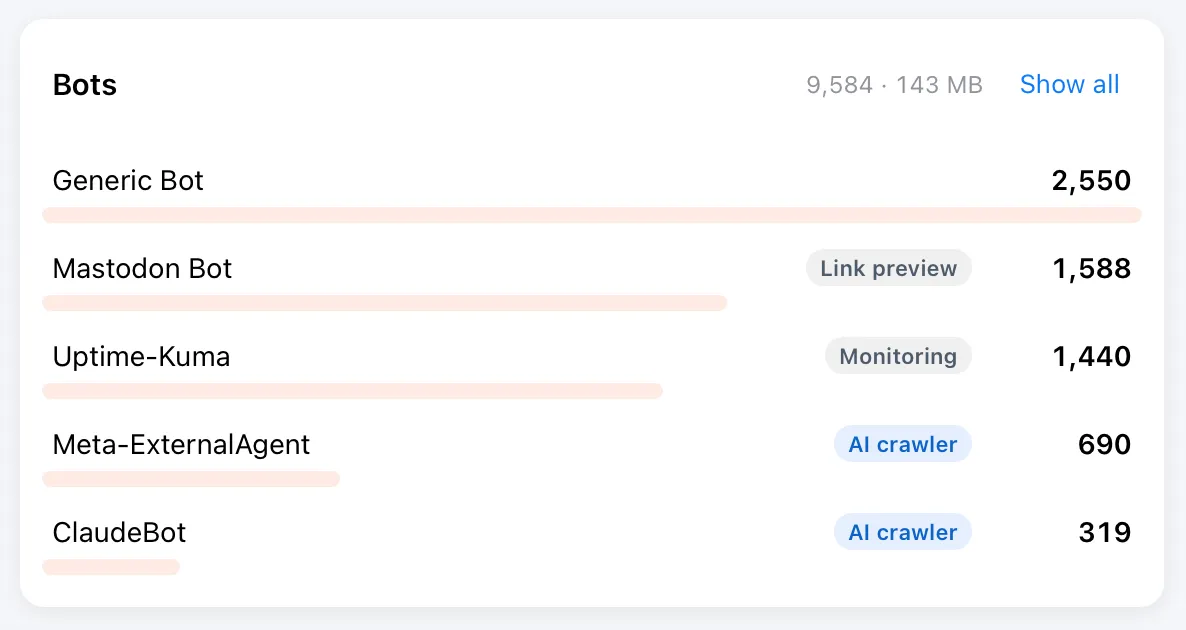
**This is example data. Your own numbers will depend on your site.*
If you have wondered whether AI companies are reading your content, this is where you'll find out. Search engines and monitoring bots are listed too, so you can tell friendly crawlers from the ones you'd rather not have around.
## Coming soon: block unwanted bots
Seeing which bots visit is the first step. The next one is deciding what to do about it. We're working on a way to block annoying or harmful bots directly from the Synaps Media Panel with a single click. We'll announce it as soon as it's ready.
## Works together with Ghost analytics
Advanced Web Analytics doesn't replace Ghost's analytics. Ghost's client-side view is still the best way to understand your human readers, and you should keep using it. Advanced Web Analytics adds the server-side view of what the browser never gets a chance to report. Together they give you the full picture.
## Available on the Premium plan
Advanced Web Analytics is available today for all sites on the **Premium plan**, at no extra cost. If you're on another plan, you can upgrade any time from your panel.
## Getting started
1. Log in to your Synaps Media Panel
2. Go to the new Analytics menu from the sidebar.
3. Start exploring your reports.
## Advanced Web Analytics is in beta
This is a feature we were working on since many months, and it was a challenge to provide near-realtime server-side analytics data to you in a meaningful and performant way. We think it's now ready to introduce with you but there can be some glitches or missing parts you would expect on your dashboard. If you see any issues or if you have any ideas to improve the dashboard, please share your feedback with our support.
You can [explore Advanced Web Analytics →](https://www.synapsmedia.com/features/advanced-web-analytics/) for more information.
### What is Ghost? Publishing software that stays out of your way
URL: https://www.synapsmedia.com/features/ghost-cms/
Last updated: 2026-09-30T11:48:57.000Z
Ghost is a full online publication platform: website, newsletter, memberships and payments in one open-source application. There's no plugin stack to assemble and no settings maze to learn. You open the editor and write.
This page is a plain-language look at what Ghost actually is, what shipped in Ghost 6, and where Synaps Media — a managed Ghost hosting provider — fits in.
## One application, not a plugin stack
The things a publication actually needs ship with Ghost and work together out of the box.
**A writing surface, not a form.** The Ghost editor opens on a blank page. Cards add images, galleries, embeds, buttons and paywalls inline, so structure comes from writing rather than from a builder. It supports Markdown, drag-and-drop content cards, and autosave.
**Newsletters, from the same post.** Write once and choose who receives it by email. Multiple newsletters, branded email templates, and delivery reporting are part of the platform, not a separate service to wire up.
**Memberships and payments.** Free and paid tiers, subscriptions, tips and donations run natively through Stripe, with cards, Apple Pay, iDEAL, Bancontact and more. Ghost takes no cut of what you earn.
**Yours to customise.** Set brand colours, custom fonts and navigation from the admin, or take full control of the front end with the open theme layer and content API — right down to editing the theme directly in Handlebars.
**Connects to what you already use.** Hundreds of documented integrations, plus REST APIs and webhooks for the ones that don't exist yet (Zapier and Slack included). Nothing is locked behind a proprietary plugin format.
**A comments section you own.** Members-only discussion built into the platform, with threaded replies, sorting and moderation controls. No third-party embed, no ads in your comment box.
## Simple by design
Most publishing stacks ask you to pick a CMS, then a newsletter tool, then a payments plugin, then a caching plugin, then the plugin that fixes the other plugins. Ghost is one application with a small admin and sensible defaults.
[Get started for free](https://panel.synapsmedia.com/register?ref=synapsmedia.com)
1. **A small admin, not a control panel.** Posts, pages, members, newsletters, settings. You can read the whole sidebar in one glance.
2. **No plugin dependency chain.** Core features are maintained by the people who maintain Ghost, so an update can't break a stack you assembled.
3. **Fast because it's small.** Server-rendered pages with no plugin overhead. Ghost sites are quick without a performance project.
## Ghost 6: your site is now a social account
Ghost 6 connects your publication to the open social web through ActivityPub. People on Bluesky, Mastodon, Threads, Flipboard, WordPress and other Ghost sites can follow, like and reply to your posts from wherever they already are — and you keep the relationship.
- **Followed from anywhere** — one handle, many networks.
- **Notes and replies** — long posts and short ones.
- **A reader, built in** — follow other publications too.
- **No algorithm** — links are not suppressed.
## Ghost 6: reporting in the platform itself
Ghost 6 collects and reports its own data, so traffic, email engagement and member revenue sit in one place instead of three dashboards. It's built on a new analytics database with Tinybird and ClickHouse, and updates in real time.
- **Web traffic** — visitors and views per post.
- **Email reports** — opens and clicks per send.
- **Member engagement** — signup events and sources.
- **Conversion events** — which posts drive upgrades.
Want bots, RSS readers and email clients counted too? That's [Advanced Web Analytics](http://127.0.0.1:3001/features/advanced-web-analytics/?ref=synapsmedia.com), our server-side layer on top of Ghost's own reporting.
## AI ready: legible to machines, on your terms
Assistants and agents are becoming a real way readers find writing. Ghost is text-first and API-first, so your publication is already easy for them to read — and you decide how much of it they get.
- **Optional llms.txt support.** Publish a clean, machine-readable index of your content for language models that look for one. It's opt-in: turn it on when you want assistants to cite you accurately, leave it off when you don't.
- [**ghst**](https://github.com/TryGhost/ghst?ref=synapsmedia.com)**, the official CLI.** Ghost's command line tool drives the Admin API from a terminal, which also makes it a clean surface for coding agents. Draft, publish and manage content as scriptable commands instead of clicks.
## Built to outlast us
Ghost is MIT-licensed software owned by a non-profit foundation with no investors and no exit to plan for. If your publication is going to be around in ten years, the software under it should be too.
- **Open source, MIT.** The whole platform is public on GitHub. Read it, fork it, self-host it, or move your data out whenever you like.
- **Non-profit stewardship.** The Ghost Foundation can't be sold or take investment. Revenue funds development rather than a valuation.
- **A healthy ecosystem.** Hundreds of themes, an integrations directory, certified experts, active docs and a busy community forum.
## Everything else that ships with Ghost
- **Multi-staff editorial management** — owner, admin, editor and contributor roles with draft review before anything goes live.
- **Comments and reader replies** — threaded discussion for members, with sorting and moderation controls.
- **Scheduling and email-only posts** — queue posts ahead, or send something to subscribers without publishing it on the site.
- **Tiers, offers, tips and donations** — multiple paid tiers, discount offers, and one-off payments with no membership required.
- **Contextual content visibility** — show specific blocks to specific segments, for sponsorships, offers and paywalls.
- **Branded newsletters and custom fonts** — your own email template and typography, so the inbox matches the site.
- **Internationalisation** — publishing and member-facing text in more than 60 languages.
- **Signup spam protection** — control who can create an account and keep automated signups off your member list.
- **SEO, sitemaps and feeds** — structured data, canonical URLs, sitemaps, clean markup and RSS, all handled by default.
- **Content and Admin APIs** — build a custom front end, sync content elsewhere, or automate editorial work with webhooks.
- **Import and export, any time** — bring content in from other platforms and take everything with you in an open format.
- **Multiple newsletters** — run separate lists from one publication and let readers choose what they receive.
## Where Synaps Media comes in
Ghost is the software. Everything around it — the server, the mail delivery, the CDN, the backups, the upgrades — is the part that quietly eats your evenings. That's the part we run.
- **Live in minutes.** Pick a name, pick a plan, and your Ghost site is up on a working domain with TLS before you've finished your coffee. No VPS, no command line.
- **Everything already wired.** Newsletter delivery, Social Web, analytics, global CDN, daily backups and version upgrades are configured and monitored on your behalf.
- **We support Ghost.** Synaps Media is — and is committed to remaining — part of the Ghost community. We support Ghost development with code contributions and support the ecosystem with sponsorships.
### Self-hosting vs. Synaps Media
| | Self-hosting | Synaps Media |
| ---------------------- | --------------------------------------------------------------------------- | ---------------------------------------------------------- |
| **Getting started** | Provision a server, install Ghost, configure Nginx, TLS and a mail provider | A working site in minutes, from a form |
| **Keeping it running** | Your job: upgrades, backups, security patches, deliverability, uptime | Managed and monitored, with daily backups and CDN included |
| **What it costs** | VPS, email, CDN and storage billed separately, plus your hours | One predictable bill, in the same range |
Read the full breakdown: [Self-hosting Ghost vs Synaps Media](https://www.synapsmedia.com/help/self-hosting-ghost-vs-synaps-media/).
## FAQ
#### Is Synaps Media the same thing as Ghost?
No. Ghost is open-source publishing software made by the Ghost Foundation. Synaps Media is an independent hosting company that runs Ghost for you. We are not affiliated with the Ghost Foundation, and we do not speak for them.
#### Do I get standard Ghost, or a modified version?
Standard Ghost. We don't fork it or patch the application, so every feature works the way the documentation says it does and your themes and integrations behave normally. Our additions sit in the infrastructure around Ghost and in our own panel.
#### Who handles Ghost version upgrades?
We do. New Ghost releases are tested and rolled out for you, including major versions like Ghost 6\. You don't need to touch a server to get new features.
#### Are Social Web and Web Analytics available on my plan?
Yes. Both are Ghost 6 features, so every Synaps Media site running Ghost 6 has them. Advanced Web Analytics, our own server-side reporting layer, is part of the Premium plan.
#### Can I leave and take my site with me?
Any time. Because it's standard Ghost, you can export your content, members and theme and move to your own server or another host. Open source means the exit is real, not a policy we could change.
#### Why not just self-host it myself?
You can, and Ghost documents how. Once you add a VPS, transactional email, a CDN, object storage and the hours spent on upgrades and backups, the cost lands close to ours. We wrote up the full numbers in the "Self-hosting Ghost vs Synaps Media" article linked above.
#### Does Ghost take a cut of my subscription revenue?
No, and neither do we. Payments run through your own Stripe account, so what your members pay goes to you minus Stripe's fees.
## Start publishing on Ghost today
We'll have your site running in minutes. You can spend the rest of the day writing.
[Get started for free](https://panel.synapsmedia.com/register?ref=synapsmedia.com)
14-day free trial • No credit card required
### Advanced Web Analytics: see the traffic Ghost's dashboard misses
URL: https://www.synapsmedia.com/features/advanced-web-analytics/
Last updated: 2026-09-30T11:48:45.000Z
Ghost's built-in analytics tracks your human visitors beautifully. Advanced Web Analytics reads your server logs and reveals the rest — bots, RSS readers, email clients and direct file requests that client-side tracking can't see.
## See the invisible traffic
Track the parts of your traffic that usually go unnoticed, from bots and RSS readers to downloads and email clients.
**Bot traffic insights.** See every bot visiting your site — from AI trainers to search engines. Track crawl frequency, page access patterns, and identify which bots are consuming your content.
**Block unwanted bots** *(coming soon)*. Take control of your content. Block annoying or harmful bots directly from the Synaps Media panel with a single click.
**Email client stats.** See which email clients your members actually use. Optimize your newsletter design for the apps your audience prefers.
**RSS reader analytics.** Discover which RSS readers your followers use. Understand your RSS audience better than ever before.
**Hotlinked content detection.** Discover which websites are embedding your images or linking directly to your files. Track your content's reach beyond your own site.
**Server-side tracking.** Capture data at the server level — no JavaScript required. See requests that bypass the browser entirely, from RSS feeds to direct file access.
## See the full picture, step by step
From the first request to the final read, follow how your content moves across channels.
[Get started for free](https://panel.synapsmedia.com/register?plan=premium&ref=synapsmedia.com)
1. **Traffic reaches your content.** Every request starts somewhere — from readers, bots, feeds, or shared links.
2. **Signals are tracked server-side.** Requests, downloads, and activity are captured directly from the source.
3. **Everything comes together in one view.** See all traffic signals clearly, in one dashboard built for publishers.
## Understand your bot traffic
AI trainers, search engines, and monitoring bots generate significant traffic that Ghost's analytics doesn't track. See exactly which bots are crawling your site and make informed decisions about your content.
- **Bot visit frequency** — track how often bots visit your site.
- **Page crawl analysis** — see which pages bots are accessing.
- **AI trainer detection** — identify LLM training bots.
- **Search engine bots** — monitor search engine crawlers.
Example of what the report looks like:
| Bot | Type | Requests | Pages |
| ------------- | ---------- | -------- | ----- |
| GPTBot | AI trainer | 11,204 | 842 |
| Googlebot | Search | 7,318 | 1,190 |
| ClaudeBot | AI trainer | 5,042 | 611 |
| Bingbot | Search | 3,466 | 708 |
| UptimeRobot | Monitor | 2,016 | 1 |
| PerplexityBot | AI trainer | 1,377 | 294 |
## Email client intelligence
Industry-first for Ghost hosting: track which email apps your members use when they open your newsletters. Optimize your design for Gmail, Apple Mail, Outlook, or whatever your audience prefers.
- **Client distribution** — see which clients are most popular.
- **Desktop vs mobile** — understand reading preferences.
- **Design optimization** — optimize for your audience.
- **Trend analysis** — track changes over time.
## RSS reader insights
Your RSS followers are some of your most engaged readers. Now you can see exactly which RSS readers they use and understand this important segment of your audience.
## Hotlink detection
Discover which websites are embedding your images or linking directly to your content. Understand your content's reach beyond your own site and see where your work is being shared.
## Server-side vs client-side analytics
Ghost ships with fast, privacy-friendly client-side analytics. Advanced Web Analytics adds a server-side layer that sees what the browser never gets a chance to report.
### Ghost 6.67 on Synaps Media
URL: https://www.synapsmedia.com/ghost-updates/ghost-6-67-on-synaps-media/
Last updated: 2026-09-29T19:00:08.000Z
All of the Ghost websites hosted in Synaps Media are automatically upgraded to the latest version (v6.67). You can find a list of features/fixes released with this version by visiting the official release notes with the link below.
[Release v6.67.0 · TryGhost/Ghost🎨 Improved integration creation with keyboard submission (#31030) - Weyland Swart 🐛 Fixed post history crashing for posts without revisions (#31080) - Steve Larson 🐛 Fixed scroll restoration when r…GitHubTryGhost](https://github.com/TryGhost/Ghost/releases/tag/v6.67.0?ref=synapsmedia.com)
Would you like to try the latest version of Ghost in a few minutes?
[Start 14-days Free Trial ](https://panel.synapsmedia.com/register?ref=synapsmedia.com)
### Give integrations only what they need: Introducing Protected API Keys
URL: https://www.synapsmedia.com/changelog/give-integrations-only-what-they-need-introducing-protected-api-keys/
Last updated: 2026-09-23T12:52:17.000Z
One of the things that makes Ghost special is its API. Almost everything you can do in Ghost Admin can also be done through the Admin API: publishing posts, managing members, uploading images, and reacting to new signups. That's why Ghost works so well with other tools. Search services index your content, automation tools like Zapier, Make, and n8n connect your site to hundreds of apps, social schedulers share your new posts, and a small script from a developer friend can take care of a repetitive task for you.
Connecting any of these takes just a few clicks. You create a custom integration in Ghost Admin, copy its Admin API key, and paste it into the service.
### The problem: it's all or nothing
That Admin API key is very powerful. It can read, change, and delete your posts, pages, members, and settings. Ghost doesn't give you a way to limit it:
- **It can't be read-only.** A tool that only needs to read your posts gets the same power as you.
- **It works from anywhere.** Anyone who holds the key can use it, from any server in the world.
- **It never expires.** A key you gave to a tool you tried for a week two years ago still works today.
- **You can't see what it does.** There's no record of which requests a key made, or when.
Most integrations don't need that much power. A search service only needs to read your content, yet the key it holds could delete it. If that service is ever compromised, or the key ends up in a log file, an email, or a screenshot, your site and your members' data are exposed.
### Introducing Protected API Keys
Protected API Keys are Ghost Admin API keys with guardrails. You create them in the Synaps Media Panel and give them to third-party tools the same way you would a normal key. Each key can have:
- **An access level:** *Read only*, *Read + Webhooks*, or *Full access*
- **Allowed IP addresses**, so the key only works from the servers you trust
- **An auto-delete date**, for temporary access that cleans itself up
- **Request logs**, so you can see every request made with the key, and whether it was allowed or rejected
Every request made with a protected key is checked before it reaches your Ghost site. Anything outside the key's permissions is rejected and logged.
Protected keys use the same format as native Ghost Admin API keys, so your tools don't need any changes. If a tool accepts a Ghost Admin API key, it accepts a protected one.
### Available on all plans with Custom Integrations, at no extra cost
Protected API Keys are available today for every plan that includes Custom Integrations, at no extra cost. There's nothing to enable. Open your site in the panel and you'll find it under **Tools**.
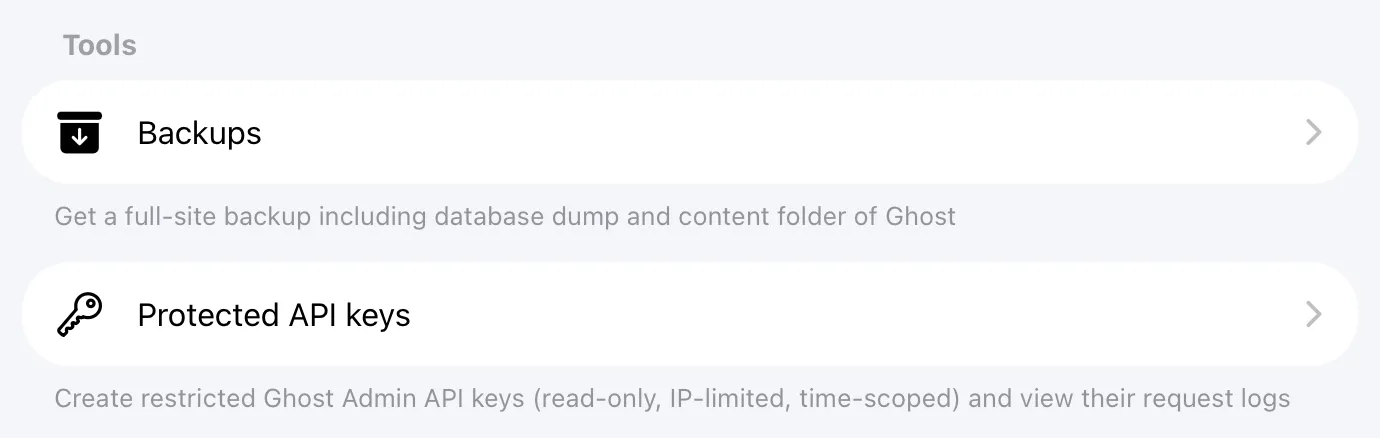
You can see Protected API Keys feature under Tools section on your Synaps Media Panel
#### Getting started takes less than a minute
1. Log in to your Synaps Media Panel
2. Open your site and go to **Tools → Protected API keys**
3. Click **"Create a key"**, pick an access level, and save
4. Copy your new key and paste it into your integration
That's it. [Create your first protected key now →](https://panel.synapsmedia.com/?ref=synapsmedia.com)
For a full walkthrough, advice on choosing an access level, and answers to common questions, visit our [Protected API Keys documentation →](https://www.synapsmedia.com/help/using-protected-api-keys/)
### Using Protected API Keys
URL: https://www.synapsmedia.com/help/using-protected-api-keys/
Last updated: 2026-09-23T13:37:53.000Z
Protected API Keys are Ghost Admin API keys with extra safety controls. You can make a key read-only, limit it to specific IP addresses, set it to delete itself on a date, and see a log of every request made with it. This makes it safer to give Admin API access to third-party tools, services, and freelancers.
A protected key works exactly like a native Ghost Admin API key, so any tool that supports the Ghost Admin API supports it too.
ℹ️
Protected API Keys are available on plans that include Custom Integrations.
### Creating a protected key
1. Log in to your Synaps Media Panel and open your site
2. In the **Tools** section, click **Protected API keys**
3. Click **"Create a key"** (or **"Add"** in the top right corner)
4. Give the key a recognizable name, such as the name of the tool or person you're giving it to
5. Choose an **access level** (see below)
6. Optionally, add **allowed IP addresses** and an **auto-delete date**
7. Click **Save**
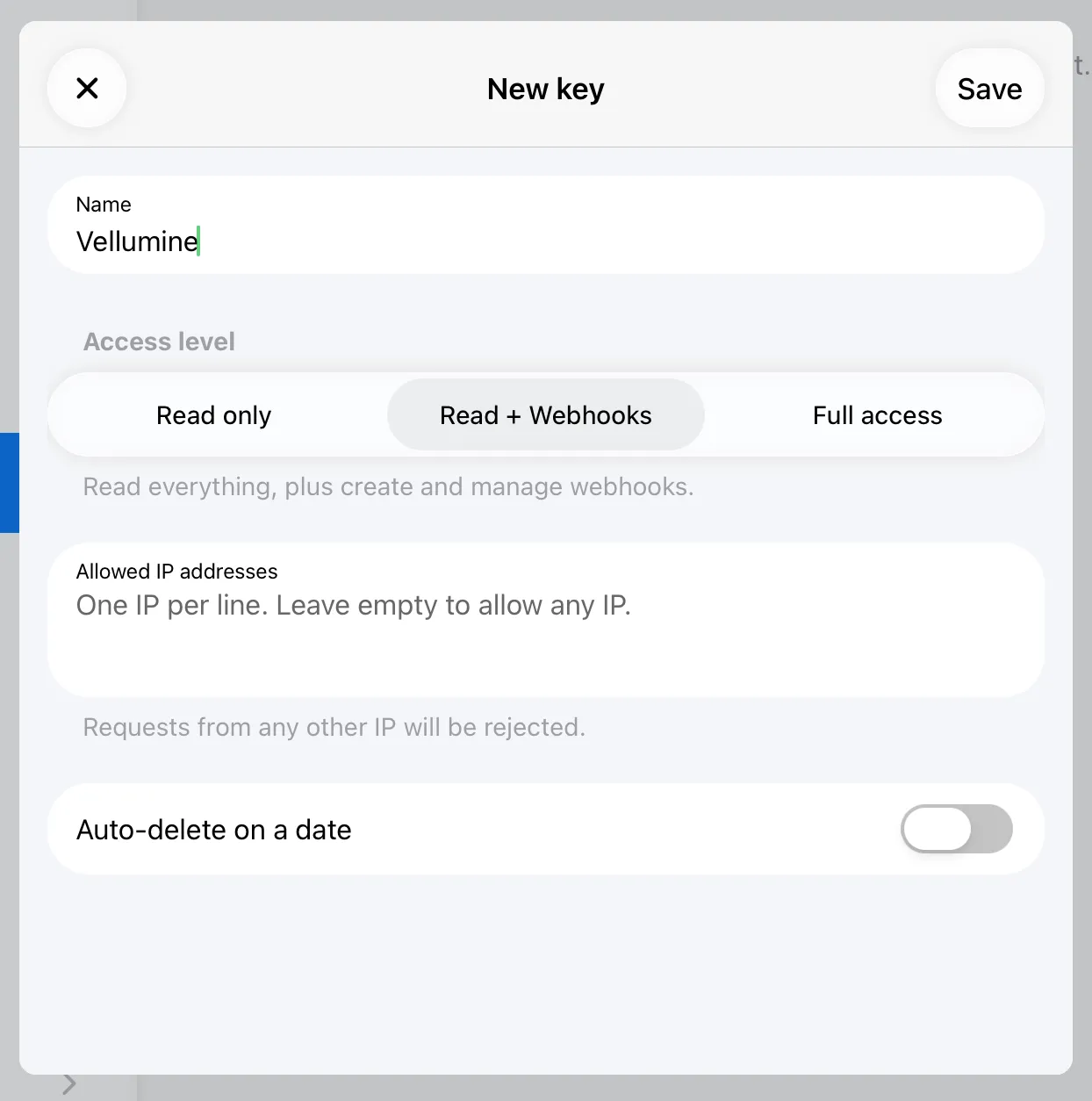
Your new key will be displayed once. Click **"Copy key"** and paste it into your integration right away.
⚠️
For security, the full key is shown only once. If you lose it, create a new key and delete the old one.
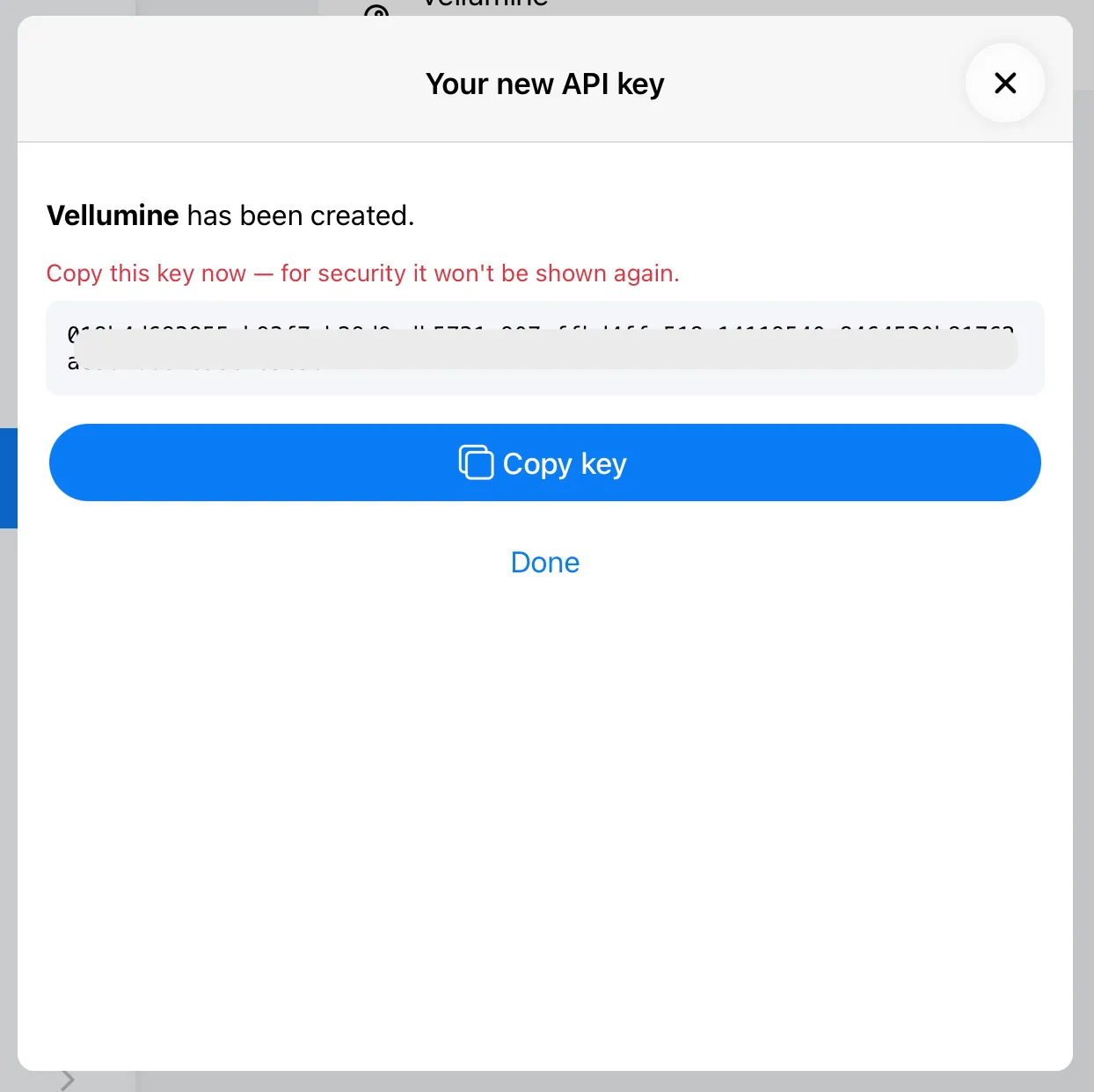
#### Choosing an access level
- **Read only:** Only GET requests are allowed. The key can read posts, pages, tags, members, and other data, but it can't change anything. This is the right choice for most tools that display, analyze, or index your content.
- **Read + Webhooks:** Everything *Read only* allows, plus creating and managing webhooks. Choose this for services that need to stay in sync with your site, like search services that re-index a post when you update it.
- **Full access:** The same permissions as a native Ghost Admin API key. Only choose this for tools that need to create or change content, such as publishing tools or migration scripts. Even with full access, you still get IP restrictions, auto-delete, and request logs.
If you're not sure, start with *Read only*. If the tool needs more, you'll see rejected requests in the logs.
#### Restricting by IP address
Enter one IP address per line. Requests from any other IP address will be rejected. Leave the field empty to allow requests from any IP.
This works best for services with fixed server addresses, like your own server or a provider that publishes its IP addresses. Many automation platforms send requests from changing IP addresses, so check the tool's documentation before you enable this.
#### Setting an auto-delete date
Turn on **Auto-delete on a date** and pick a date. The key stops working on that date. This is useful for temporary access, like a freelancer working on your site for a month or a tool you're only trying out.
### Using your key
Most tools ask for two things:
- **Admin API URL:** your site's URL, for example `https://yoursite.com`
- **Admin API key:** your protected key
No other changes are needed. Protected keys use the same `id:secret` format as native Ghost keys.
### Viewing request logs
1. Go to **Tools → Protected API keys**
2. Swipe left on a key (or click it) and select **Logs**
Each entry shows the request method and endpoint, the date and time, the IP address, and whether the request was **allowed** or **rejected**. Click an entry to see its details.
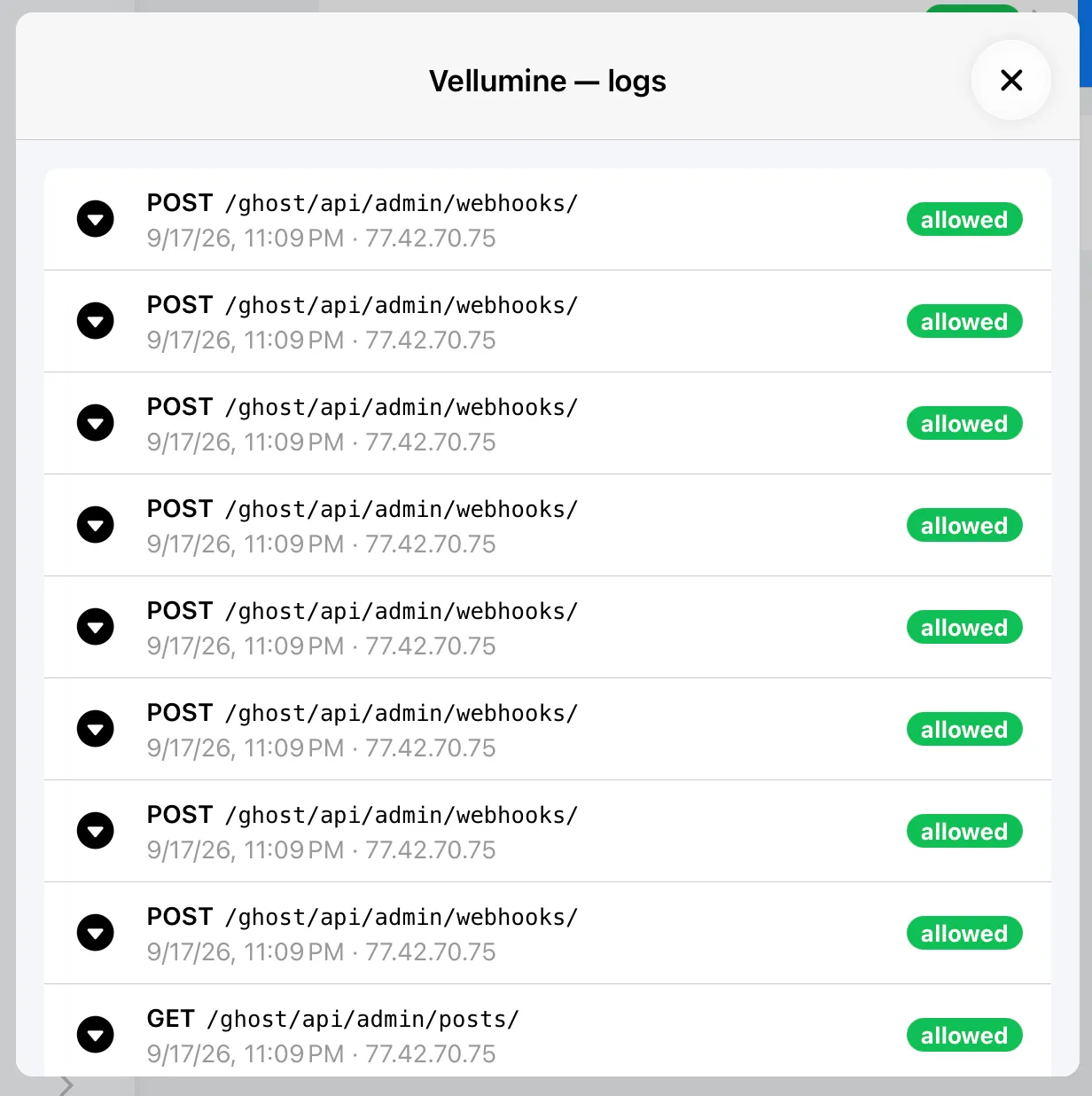
The logs are also a great way to learn what a tool actually does with your site.
### Editing a key
Click on a key and select **Edit**. You can change its name, access level, allowed IP addresses, and auto-delete date. Changes apply immediately, and the key itself stays the same, so there's nothing to update in your integration.
### Deleting (revoking) a key
1. Swipe left on the key and select **Delete**
2. Confirm the action
The key stops working immediately. This cannot be undone.
Deleted and expired keys are moved to **Archived keys** at the bottom of the page, so you can still see their logs.
### Q&A
#### Can I use Protected API Keys with my plan?
Protected API Keys are available on all plans that include Custom Integrations (Premium and Early Adopter plans), at no extra cost. If your plan doesn't include Custom Integrations, you can upgrade from the panel at any time.
#### Why can't I see my protected key in Ghost Admin?
Protected keys are managed by Synaps Media, not by Ghost itself, so they don't appear under ****Settings → Integrations** in Ghost Admin. You can see and manage them only in the Synaps Media Panel.
#### Is this the same Ghost Admin API?
Yes. Protected API Keys don't replace or copy the Ghost Admin API. They add a checkpoint in front of it. Each request is checked against the key's rules, and allowed requests are passed to your Ghost site's native Admin API unchanged. Everything in Ghost's [Admin API documentation](https://docs.ghost.org/admin-api/?ref=synapsmedia.com) applies.
#### Do I need to change anything in my integration?
No. Protected keys use the same format as native Ghost Admin API keys, so official Ghost client libraries, Zapier, and other tools work with them as they are.
#### Does "Read only" keep my members' data private?
Not entirely. A read-only key can't change anything, but it can still read your members' data, including their email addresses. Only give keys to services you trust. Where member data is involved, make sure the service handles it in line with GDPR.
#### What happens when a request is not allowed?
The request is rejected before it reaches your Ghost site and is logged as ****rejected**. The tool receives an "403 Forbidden" error response.
#### What happens to webhooks created with a key after I delete it?
When you delete a key, webhooks belongs to that key are also deleted automatically.
#### What happens when a key reaches its auto-delete date?
It stops working and moves to your archived keys, as if you had deleted it yourself.
#### I lost my key. Can I see it again?
No. For security, the full key is shown only once. Create a new key, update your integration, then delete the old one.
#### What about my existing custom integrations in Ghost Admin?
They keep working as before. We recommend replacing them with protected keys where possible. After switching a tool to a protected key, delete the old integration in Ghost Admin under ****Settings → Integrations**.
#### Do I need a protected key for the Content API?
No. Content API keys are already read-only and only give access to published, public content. Protected keys are for the Admin API.
#### How long are request logs kept?
You can see request logs up to 30 days before,
---
If you have more questions, don't hesitate to reach out to our support.
### Ghost 6.65 on Synaps Media
URL: https://www.synapsmedia.com/ghost-updates/ghost-6-65-on-synaps-media/
Last updated: 2026-09-22T16:07:45.000Z
All of the Ghost websites hosted in Synaps Media are automatically upgraded to the latest version (v6.65). You can find a list of features/fixes released with this version by visiting the official release notes with the link below.
[Release v6.65.0 · TryGhost/Ghost🎨 Updated Source to v1.7.6 - Ghost CI 🎨 Updated Casper to v5.12.5 - Ghost CI 🎨 Improved site responsiveness while the sitemap rebuilds (#30839) - Austin Burdine 🎨 Improved sitemap memory use on sit…GitHubTryGhost](https://github.com/TryGhost/Ghost/releases/tag/v6.65.0?ref=synapsmedia.com)
Would you like to try the latest version of Ghost in a few minutes?
[Start 14-days Free Trial ](https://panel.synapsmedia.com/register?ref=synapsmedia.com)
### Ghost 6.64 on Synaps Media
URL: https://www.synapsmedia.com/ghost-updates/ghost-6-64-on-synaps-media/
Last updated: 2026-09-16T06:53:00.000Z
All of the Ghost websites hosted in Synaps Media are automatically upgraded to the latest version (v6.64). You can find a list of features/fixes released with this version by visiting the official release notes with the link below.
[Release v6.64.0 · TryGhost/Ghost🎨 Updated Source to v1.7.5 - Ghost CI 🐛 Fixed navigation icons failing to save on local installs (#30476) - Austin Burdine 🐛 Fixed email rendering crashes on malformed CSS in post content (#30769)…GitHubTryGhost](https://github.com/TryGhost/Ghost/releases/tag/v6.64.0?ref=synapsmedia.com)
Would you like to try the latest version of Ghost in a few minutes?
[Start 14-days Free Trial ](https://panel.synapsmedia.com/register?ref=synapsmedia.com)
### How to remove auto added "ref" parameter from external links in Ghost
URL: https://www.synapsmedia.com/ghost-tips/how-to-remove-auto-added-ref-parameter-from-external-links-in-ghost/
Last updated: 2026-09-09T10:30:18.000Z
You may noticed that, whenever you put an external link to your articles in Ghost, your domain is added to those links with "ref" query parameter. For example; if you put a link to `https://ghost.org` actual link will be converted to `https://ghost.org/?ref=yoursite.com`.
This is a feature of Ghost named "Outbound link tagging". This `ref` parameter helps the sites you are linking to count incoming traffic from your site. Most of the time, people find this handy, so this feature is enabled by default. But if you don't like this, you can disable it.
To disable outbound link tagging, go to Settings -> Analytics in your Ghost Admin and disable "Outbound link tagging" toggle.
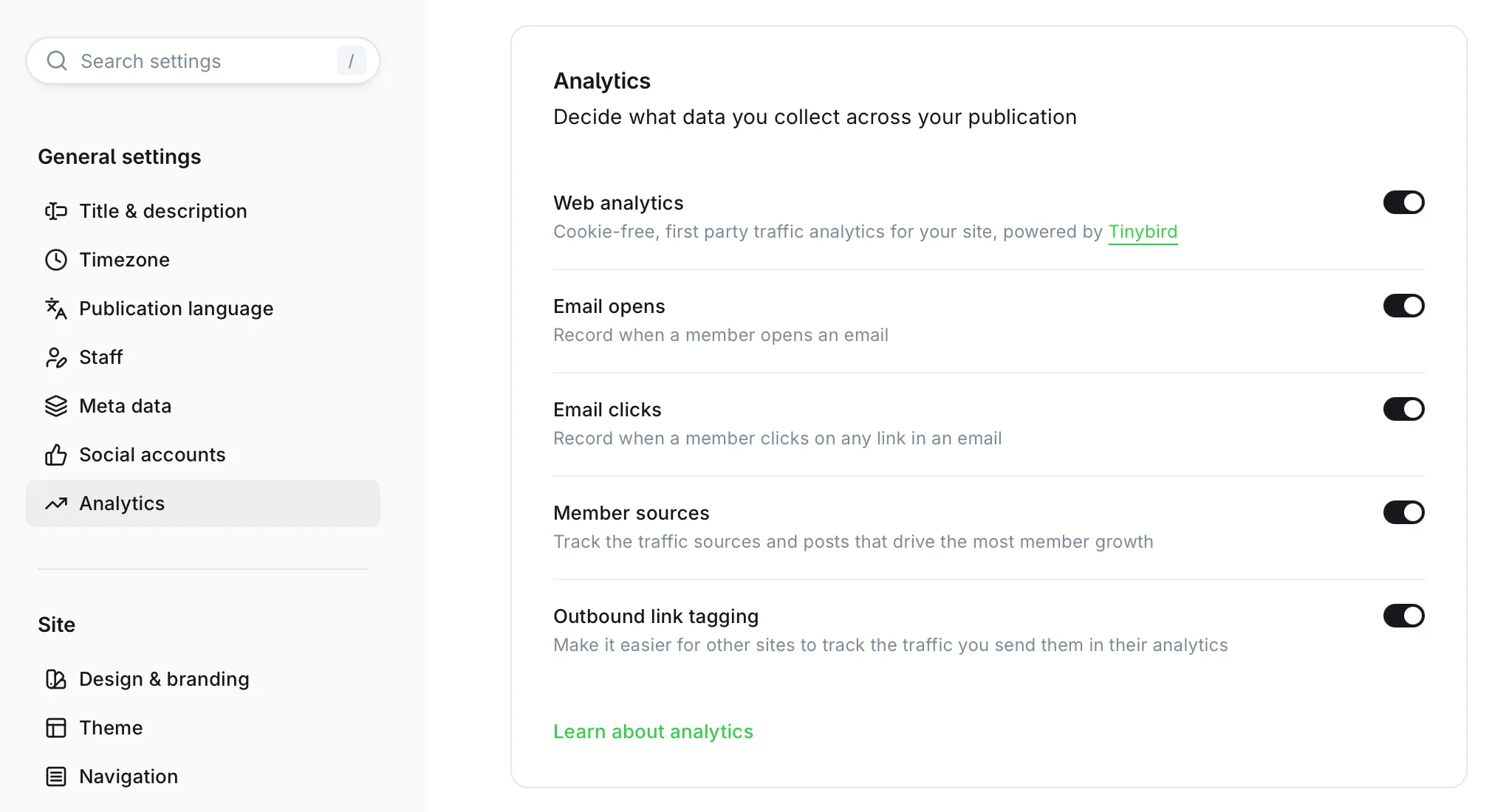
Analytics Settings in Ghost Admin
After disabling this, all your external links will stay as you added. You can change this setting whenever you want.
## Do you want more Ghost Tips?
Subscribe to our newsletter to be notified for new Ghost Tips from Synaps Media.
Subscribe
Email sent! Check your inbox to complete your signup.
No spam. Unsubscribe anytime.
### Ghost 6.63 on Synaps Media
URL: https://www.synapsmedia.com/ghost-updates/ghost-6-63-on-synaps-media/
Last updated: 2026-09-09T08:13:05.000Z
All of the Ghost websites hosted in Synaps Media are automatically upgraded to latest version (v6.63). You can find a list of features/fixes released with this version by visiting official release notes with the link below.
[Release v6.63.0 · TryGhost/Ghost✨ Added Node 24 to the supported engines range (#30466) - Austin Burdine 🎨 Updated Source to v1.7.4 - Ghost CI 🎨 Improved focus when adding a filter (#30394) - Zach 🐛 Fixed Portal reporting a refus…GitHubTryGhost](https://github.com/TryGhost/Ghost/releases/tag/v6.63.0?ref=synapsmedia.com)
Would you like to try the latest version of Ghost in a few minutes?
[Start 14-days Free Trial ](https://panel.synapsmedia.com/register?ref=synapsmedia.com)
### Ghost 6.62 on Synaps Media
URL: https://www.synapsmedia.com/ghost-updates/ghost-6-62-on-synaps-media/
Last updated: 2026-09-01T17:50:55.000Z
All of the Ghost websites hosted in Synaps Media are automatically upgraded to latest version (v6.62). You can find a list of features/fixes released with this version by visiting official release notes with the link below.
[Release v6.62.0 · TryGhost/Ghost✨ Released the React tag details screen (#30377) - Steve Larson 🎨 Updated Source to v1.7.3 - Ghost CI 🎨 Updated Casper to v5.12.3 - Ghost CI 🐛 Fixed unsubscribe links affecting the wrong member whe…GitHubTryGhost](https://github.com/TryGhost/Ghost/releases/tag/v6.62.0?ref=synapsmedia.com)
Would you like to try the latest version of Ghost in a few minutes?
[Start 14-days Free Trial ](https://panel.synapsmedia.com/register?ref=synapsmedia.com)
### Ghost 6.61 on Synaps Media
URL: https://www.synapsmedia.com/ghost-updates/ghost-6-61-on-synaps-media/
Last updated: 2026-08-27T10:38:44.000Z
All of the Ghost websites hosted in Synaps Media are automatically upgraded to latest version (v6.61). You can find a list of features/fixes released with this version by visiting official release notes with the link below.
[Release v6.61.0 · TryGhost/Ghost✨ Added email-able gift subscriptions and Portal gift sub links (#30331) - Kevin Ansfield 🎨 Updated Source to v1.7.2 - Ghost CI 🎨 Updated Casper to v5.12.2 - Ghost CI 🎨 Improved resilience by skipp…GitHubTryGhost](https://github.com/TryGhost/Ghost/releases/tag/v6.61.0?ref=synapsmedia.com)
Would you like to try the latest version of Ghost in a few minutes?
[Start 14-days Free Trial ](https://panel.synapsmedia.com/register?ref=synapsmedia.com)
### Ghost 6.60 on Synaps Media
URL: https://www.synapsmedia.com/ghost-updates/ghost-6-60-on-synaps-media/
Last updated: 2026-08-25T16:08:27.000Z
All of the Ghost websites hosted in Synaps Media are automatically upgraded to latest version (v6.60). You can find a list of features/fixes released with this version by visiting official release notes with the link below.
[Release v6.60.0 · TryGhost/Ghost✨ Added new analytics fields to automations list (#30155) - Evan Hahn 🎨 Updated Source to v1.7.2 - Ghost CI 🎨 Updated Casper to v5.12.2 - Ghost CI 🎨 Removed the gift card and email preview on mobil…GitHubTryGhost](https://github.com/TryGhost/Ghost/releases/tag/v6.60.0?ref=synapsmedia.com)
Would you like to try the latest version of Ghost in a few minutes?
[Start 14-days Free Trial ](https://panel.synapsmedia.com/register?ref=synapsmedia.com)
### Ghost 6.59 on Synaps Media
URL: https://www.synapsmedia.com/ghost-updates/ghost-6-59-on-synaps-media/
Last updated: 2026-08-19T22:34:08.000Z
All of the Ghost websites hosted in Synaps Media are automatically upgraded to latest version (v6.59). You can find a list of features/fixes released with this version by visiting official release notes with the link below.
[Release v6.59.0 · TryGhost/Ghost🎨 Updated Source to v1.7.2 - Ghost CI 🎨 Updated Casper to v5.12.2 - Ghost CI 🐛 Fixed migrations failing on MySQL older than 8.0.28 (#30130) - Austin Burdine 🐛 Fixed navigation markup changing for t…GitHubTryGhost](https://github.com/TryGhost/Ghost/releases/tag/v6.59.0?ref=synapsmedia.com)
Would you like to try the latest version of Ghost in a few minutes?
[Start 14-days Free Trial ](https://panel.synapsmedia.com/register?ref=synapsmedia.com)
### Ghost 6.58 on Synaps Media
URL: https://www.synapsmedia.com/ghost-updates/ghost-6-58-on-synaps-media/
Last updated: 2026-08-18T18:05:41.000Z
All of the Ghost websites hosted in Synaps Media are automatically upgraded to latest version (v6.58). You can find a list of features/fixes released with this version by visiting official release notes with the link below.
[Release v6.58.0 · TryGhost/Ghost✨ Released the React member details screen - Rob Lester ✨ Added support for Docker secrets to config loading (#29924) - Austin Burdine 🎨 Improved automation canvas panning so the flow can’t be lost…GitHubTryGhost](https://github.com/TryGhost/Ghost/releases/tag/v6.58.0?ref=synapsmedia.com)
Would you like to try the latest version of Ghost in a few minutes?
[Start 14-days Free Trial ](https://panel.synapsmedia.com/register?ref=synapsmedia.com)
### Ghost 6.57 on Synaps Media
URL: https://www.synapsmedia.com/ghost-updates/ghost-6-57-on-synaps-media/
Last updated: 2026-08-07T16:30:04.000Z
All of the Ghost websites hosted in Synaps Media are automatically upgraded to latest version (v6.57). You can find a list of features/fixes released with this version by visiting official release notes with the link below.
[Release v6.57.0 · TryGhost/Ghost✨ Added analytics for email sequences (#29765) - Evan Hahn 🎨 Improved production docker build boot performance (#29790) - Austin Burdine 🐛 Fixed Web analytics loading during slow Admin boot (#29779…GitHubTryGhost](https://github.com/TryGhost/Ghost/releases/tag/v6.57.0?ref=synapsmedia.com)
Would you like to try the latest version of Ghost in a few minutes?
[Start 14-days Free Trial ](https://panel.synapsmedia.com/register?ref=synapsmedia.com)
### Ghost 6.56 on Synaps Media
URL: https://www.synapsmedia.com/ghost-updates/ghost-6-56-on-synaps-media/
Last updated: 2026-08-04T18:35:45.000Z
All of the Ghost websites hosted in Synaps Media are automatically upgraded to latest version (v6.56). You can find a list of features/fixes released with this version by visiting official release notes with the link below.
[Release v6.56.0 · TryGhost/Ghost✨ Added specific-tier option to editor preview (#29739) - Kevin Ansfield 🎨 Improved tier select sizing in the post preview header (#29727) - Weyland Swart 🎨 Added configurable search entries for bi…GitHubTryGhost](https://github.com/TryGhost/Ghost/releases/tag/v6.56.0?ref=synapsmedia.com)
Would you like to try the latest version of Ghost in a few minutes?
[Start 14-days Free Trial ](https://panel.synapsmedia.com/register?ref=synapsmedia.com)
### Ghost 6.55 on Synaps Media
URL: https://www.synapsmedia.com/ghost-updates/ghost-6-55-on-synaps-media/
Last updated: 2026-07-31T20:40:49.000Z
All of the Ghost websites hosted in Synaps Media are automatically upgraded to latest version (v6.55). You can find a list of features/fixes released with this version by visiting official release notes with the link below.
[Release v6.55.0 · TryGhost/Ghost🎨 Changed the sidebar trial banner to be configurable via hostSettings (#29604) - Jannis Fedoruk-Betschki 🐛 Fixed feature image alt text silently disappearing when too long (#29681) - SUHAIL 🐛 Fixe…GitHubTryGhost](https://github.com/TryGhost/Ghost/releases/tag/v6.55.0?ref=synapsmedia.com)
Would you like to try the latest version of Ghost in a few minutes?
[Start 14-days Free Trial ](https://panel.synapsmedia.com/register?ref=synapsmedia.com)
### Ghost 6.54 on Synaps Media
URL: https://www.synapsmedia.com/ghost-updates/ghost-6-54-on-synaps-media/
Last updated: 2026-07-25T08:30:41.000Z
All of the Ghost websites hosted in Synaps Media are automatically upgraded to latest version (v6.54). You can find a list of features/fixes released with this version by visiting official release notes with the link below.
[Release v6.54.0 · TryGhost/Ghost🔒 Made filename generation more secure, performant and resilient to filesystems’ limits (#70) - Sag ✨ Added config to specify custom adapter install location (#29487) - Austin Burdine ✨ Added inlin…GitHubTryGhost](https://github.com/TryGhost/Ghost/releases/tag/v6.54.0?ref=synapsmedia.com)
Would you like to try the latest version of Ghost in a few minutes?
[Start 14-days Free Trial ](https://panel.synapsmedia.com/register?ref=synapsmedia.com)
### Ghost 6.53 on Synaps Media
URL: https://www.synapsmedia.com/ghost-updates/ghost-6-53-on-synaps-media/
Last updated: 2026-07-17T17:00:10.000Z
All of the Ghost websites hosted in Synaps Media are automatically upgraded to latest version (v6.53). You can find a list of features/fixes released with this version by visiting official release notes with the link below.
[Release v6.53.0 · TryGhost/Ghost✨ Added boot-time validation functionality support for adapters (#29371) - Austin Burdine ✨ Added user lookup dependency injection to sso base adapter (#29365) - Austin Burdine ✨ Improved protectio…GitHubTryGhost](https://github.com/TryGhost/Ghost/releases/tag/v6.53.0?ref=synapsmedia.com)
Would you like to try the latest version of Ghost in a few minutes?
[Start 14-days Free Trial ](https://panel.synapsmedia.com/register?ref=synapsmedia.com)
### Ghost 6.52 on Synaps Media
URL: https://www.synapsmedia.com/ghost-updates/ghost-6-52-on-synaps-media/
Last updated: 2026-07-09T15:12:52.000Z
All of the Ghost websites hosted in Synaps Media are automatically upgraded to latest version (v6.52). You can find a list of features/fixes released with this version by visiting official release notes with the link below.
[Release v6.52.0 · TryGhost/Ghost✨ Added tax ID collection to Stripe checkout when automatic tax is enabled (#24682) - Jannis Fedoruk-Betschki 🎨 Updated Source to v1.7.1 - Ghost CI 🎨 Updated Casper to v5.12.1 - Ghost CI 🎨 Removed…GitHubTryGhost](https://github.com/TryGhost/Ghost/releases/tag/v6.52.0?ref=synapsmedia.com)
Would you like to try the latest version of Ghost in a few minutes?
[Start 14-days Free Trial ](https://panel.synapsmedia.com/register?ref=synapsmedia.com)
### Breaking: Your Blog Isn't Secretly Huge in China
URL: https://www.synapsmedia.com/changelog/breaking-your-blog-isnt-secretly-huge-in-china/
Last updated: 2026-07-09T13:48:55.000Z
If you've looked at your visitor map recently and thought "wait, why is China crushing every other country by a mile?" you weren't imagining it, and you weren't alone. It's one of the most common questions we've gotten from site owners lately, and a few of you have even asked whether we should just block China traffic outright.
We don't need that. Here's what was actually going on, and the fix we just shipped.
### The mystery
Ghost's built-in analytics is genuinely great at showing you what people are reading and where they came from, but figuring out which country a visitor is in turns out to be trickier than it sounds. Instead of asking "who's really visiting, and from where?", it took a shortcut: it peeked at the visitor's browser clock and guessed the country from the timezone it was set to. And it's privacy friendly as well. You are able to give an insight about visitor country, without storing visitor IP address.
The problem is, a timezone setting tells you what time someone prefers to see on their clock, not where they're standing. A few ways that falls apart:
- Someone in a neighboring country might set their OS to China's timezone simply because it matches their local time and it's a common, well-supported option. The setting is about convenience, not nationality.
- Someone originally from China but currently living in Europe or the US might just leave their clock on "home time" out of habit.
- And a fair amount of non-human traffic (link previews, crawlers, monitoring tools) runs on machines with a generic or unconfigured clock, which also tends to resolve to that same timezone.
None of these visitors are lying to you, exactly. The browser is just being asked a question ("what timezone are you in?") and treating the answer as if it were "what country are you in?", which was never a safe assumption to begin with.
### The fix
Rather than guessing a visitor's country from their clock, we now use the location our content delivery network already determines the moment it serves your page: the same infrastructure that gets your site loading fast for readers everywhere. It's a far more reliable, IP-based signal, and it's something we get "for free" as part of how every request already reaches your site.
One important thing this fix does not do: it doesn't filter, block, or remove any traffic, bot or otherwise. All it changes is which country label gets attached to each visit. If a bot or crawler was hitting your site before, it still shows up in your stats today, just like it did yesterday. It'll simply be tagged with its real origin instead of being lumped into "China" by default.
This fix will reduce the "Unknown" country numbers as well. Because almost always an HTTP request is bound to a country.
### The early numbers
Here are the effect of the corrections we do from the moment we started to fix them:
- **4%** of pageviews previously labeled "China" have been reclassified to their actual country
- **75% of the China corrections ended up being Singapore.**
- **4%** of pageviews that used to show up as "Unknown" now have a real country attached
- **3%** of pageviews was pointing wrong country, now fixed.
- Your top 5 countries list should look a lot more like... your actual readers
In total, around **11%** of the country labels were missing or wrong, according to our IP-based geolocation data, and now they are fixed. But you may now see Singapore on top of your list instead of China. Singapore makes more sense because it's the leading country for datacenters in eastern Asia. Most of those traffic is done by bots, probably. But it doesn't necessarily mean "bad bots". It may be coming from SEO engines, performance or optimization tools, monitoring tools etc. We'll continue to monitor this and act if we see possibilities to improve your experience.
### What you need to do
Nothing. This is already live across all sites. Your historical data isn't rewritten, but everything going forward should be dramatically more accurate. Traffic volume and bot filtering are unaffected. This change is scoped entirely to fixing the country label, not deciding what counts as a visit.
And no, you still don't need to block China. It was never really about China in the first place, it was about a clock setting nobody thought to question.
### Ghost 6.51 on Synaps Media
URL: https://www.synapsmedia.com/ghost-updates/ghost-6-51-on-synaps-media/
Last updated: 2026-07-03T16:30:21.000Z
All of the Ghost websites hosted in Synaps Media are automatically upgraded to latest version (v6.51). You can find a list of features/fixes released with this version by visiting official release notes with the link below.
[Release v6.51.0 · TryGhost/Ghost✨ Added Social Web handle preferences (#29042) - Vitrix 🐛 Fixed complimentary subscription created when editing comped members (#28954) - Aubaid 🐛 Fixed security action history entries (#29012) - S…GitHubTryGhost](https://github.com/TryGhost/Ghost/releases/tag/v6.51.0?ref=synapsmedia.com)
Would you like to try the latest version of Ghost in a few minutes?
[Start 14-days Free Trial ](https://panel.synapsmedia.com/register?ref=synapsmedia.com)
### Ghost 6.50 on Synaps Media
URL: https://www.synapsmedia.com/ghost-updates/ghost-6-50-on-synaps-media/
Last updated: 2026-07-02T13:20:08.000Z
All of the Ghost websites hosted in Synaps Media are automatically upgraded to latest version (v6.50). You can find a list of features/fixes released with this version by visiting official release notes with the link below.
[Release v6.50.0 · TryGhost/Ghost✨ Added publisher gift links (#29043) - Kevin Ansfield ✨ Added configurable admin session max age (#26682) - Julien Millau ✨ Added system appearance mode to Ghost Admin (#28911) - Weyland Swart 🎨 I…GitHubTryGhost](https://github.com/TryGhost/Ghost/releases/tag/v6.50.0?ref=synapsmedia.com)
Would you like to try the latest version of Ghost in a few minutes?
[Start 14-days Free Trial ](https://panel.synapsmedia.com/register?ref=synapsmedia.com)
### Say goodbye to passwords: Passkeys are now live on Synaps Media
URL: https://www.synapsmedia.com/changelog/say-goodbye-to-passwords-passkeys-are-now-live-on-synaps-media/
Last updated: 2026-06-29T16:57:11.000Z
Passwords are frustrating. They get forgotten, reused, and stolen. And even your strongest password is one phishing email away from being compromised.
We've always taken password security seriously — but why stop there? Today we're excited to roll out something better: **Passkeys are now available on Synaps Media.**
## What is a Passkey?
A [Passkey](https://en.wikipedia.org/wiki/WebAuthn?ref=synapsmedia.com) lets your device log you in using your fingerprint, face scan, or PIN — the same way you unlock your phone. There's no password to type, remember, or reset. Your device handles everything, and nothing sensitive is stored on our servers.
## Why we think you'll love it
- **Faster logins** — one tap or glance and you're in
- **Nothing to forget** — no more password reset emails
- **Genuinely more secure** — Passkeys can't be phished, guessed, or leaked in a data breach
## Our recommendation: go fully passwordless
Password login isn't going anywhere. It still works, and you can keep using it if you prefer. But once you've set up a Passkey, we encourage you to take one extra step: remove your password entirely from **Account Settings**.
Going fully passwordless means there's no password left to steal. And if you ever lose access to your device, recovering your account is straightforward; just use the password reset flow to get back in, then set things up again.
### Getting started takes less than a minute
1. Log in to your Synaps Media panel
2. Go to **Account Settings → Security**
3. Click **"Add Passkey"** and follow the prompt
That's it. [Set up your Passkey now →](https://panel.synapsmedia.com/settings?ref=synapsmedia.com)
For a full walkthrough, device compatibility info, and answers to common questions, visit our [Passkey documentation →](https://www.synapsmedia.com/help/using-passkeys-in-synaps-media-panel/).
### Using Passkeys in Synaps Media Panel
URL: https://www.synapsmedia.com/help/using-passkeys-in-synaps-media-panel/
Last updated: 2026-06-29T16:36:15.000Z
[Passkeys](https://en.wikipedia.org/wiki/WebAuthn?ref=synapsmedia.com) are a modern, secure alternative to passwords. Instead of typing a password, your device (phone, laptop, or tablet) verifies your identity using biometrics (fingerprint or face scan) or your device PIN. Nothing is stored on Synaps Media's servers, and nothing can be stolen or phished.
## Getting Started
### Registering with a Passkey
If you're creating a new Synaps Media account, you can set up a Passkey right during registration:
1. Go to the registration page
2. Enter your email address
3. Click **"Create account with a Passkey"**
4. Your browser will prompt you to authenticate — use your fingerprint, face, or device PIN
5. Your account is created and you're logged in
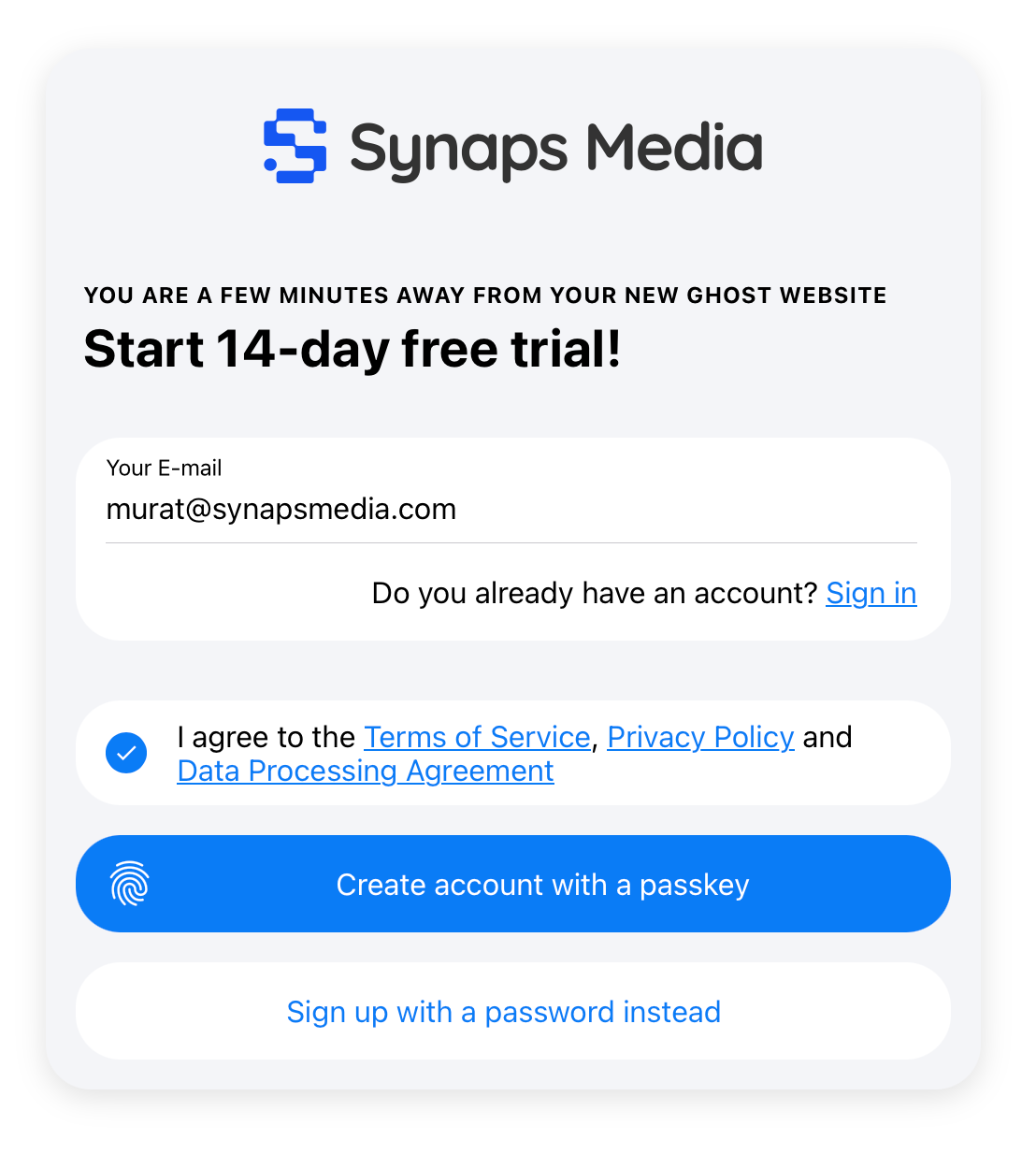
### Sign in with a Passkey
1. Go to the Synaps Media login page
2. Click **"Sign in with a Passkey"**
3. Your browser will prompt you to authenticate
4. You're in — no password needed
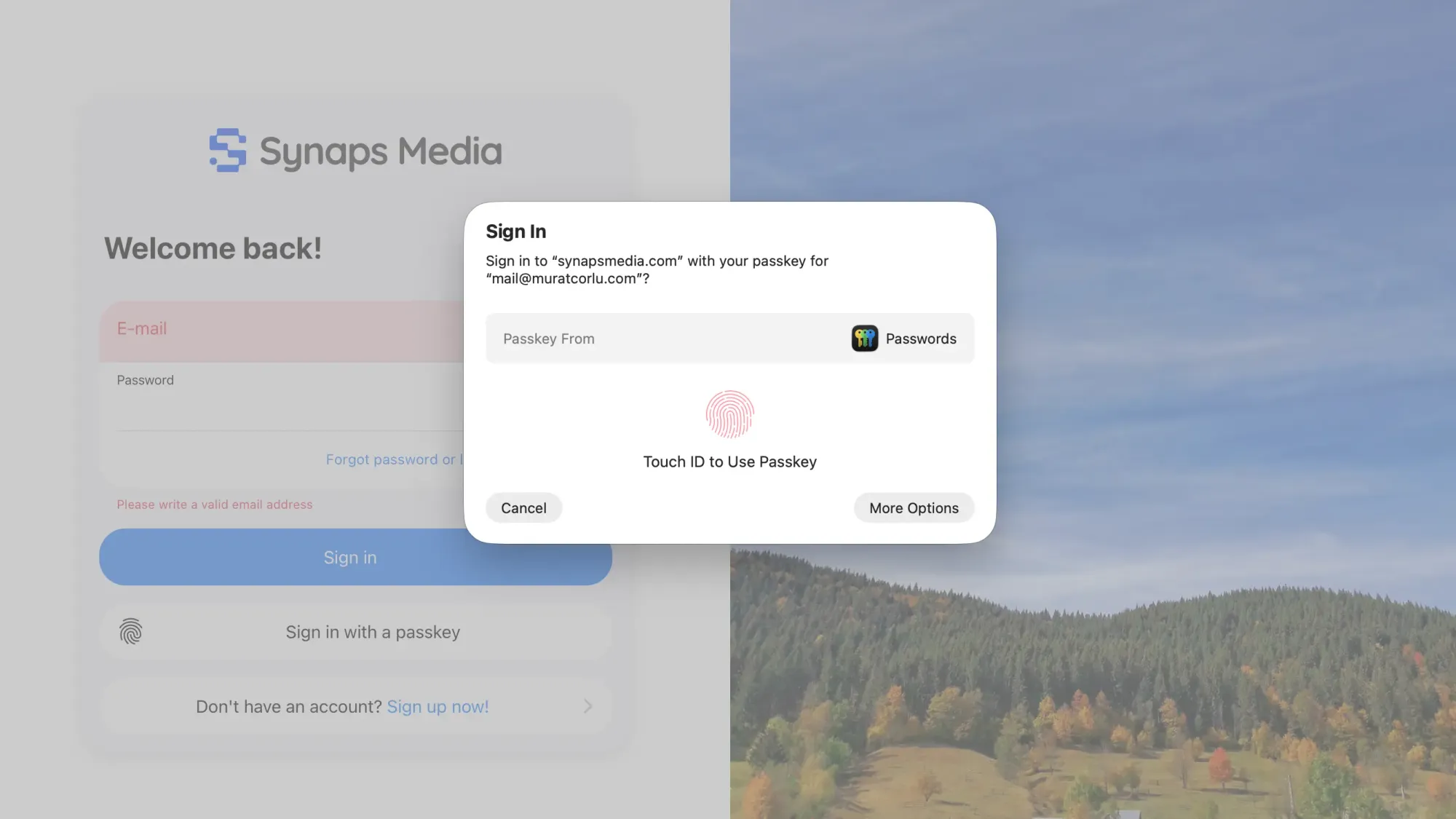
## Managing Your Passkeys
### Adding a new Passkey
You can add Passkeys on multiple devices — recommended so you're never locked out if one device is unavailable.
1. Log in to your account
2. Go to **Account Settings → Security**
3. Click **"Add Passkey"**
4. Follow your browser's prompt to authenticate
5. Give it a recognisable name (e.g. "MacBook" or "iPhone 15")
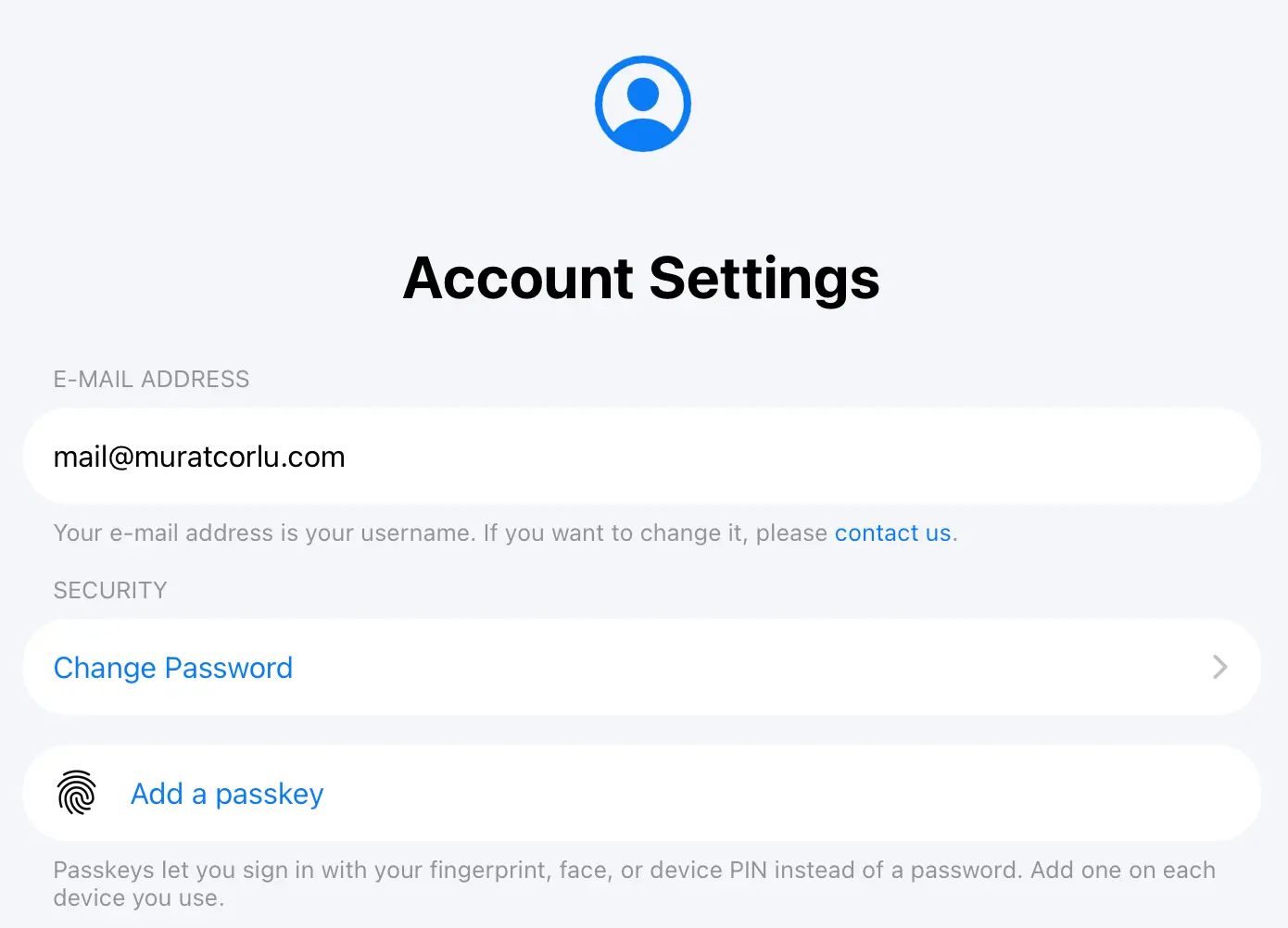
### Removing a Passkey
1. Go to **Account Settings → Security**
2. Find the Passkey you want to remove
3. Click trash can icon next to it
4. Confirm the action
⚠️
You can't remove all of your Passkeys if you also deleted your password. In that case, set a password first, then remove your passkey.
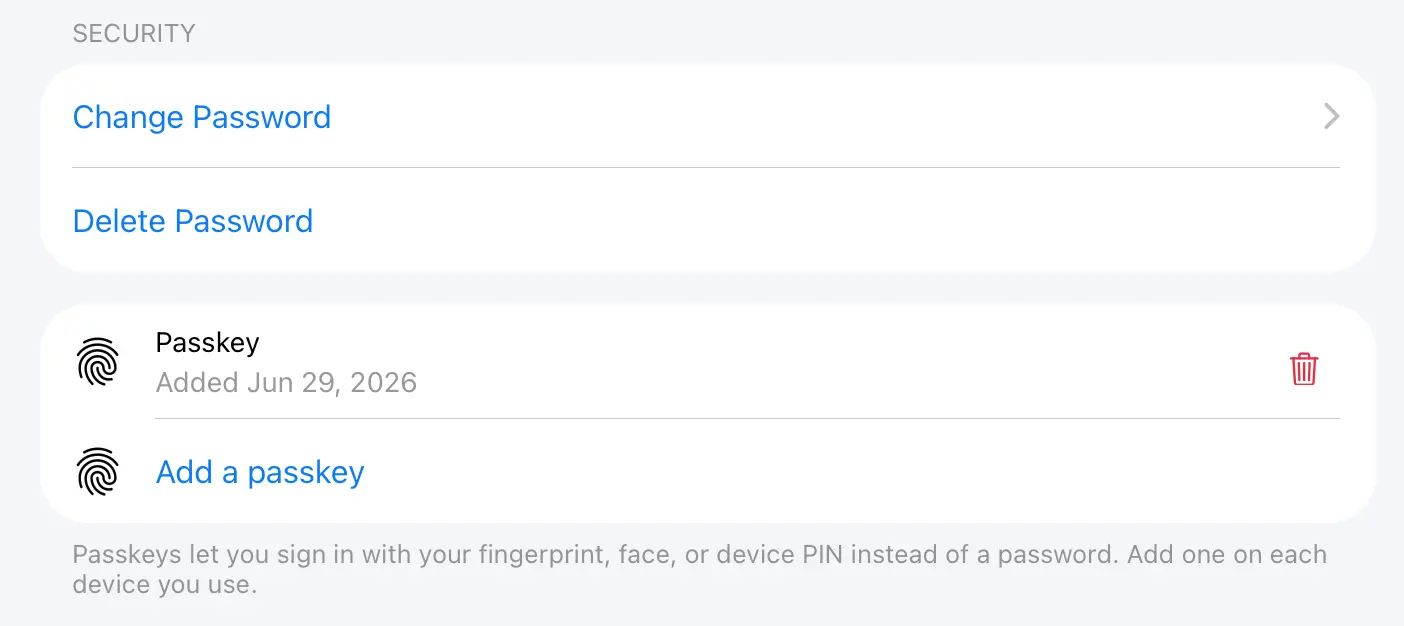
## Managing Your Password
### Removing your password
Once you have a Passkey set up, we recommend removing your password entirely. This gives you the full security benefit of going passwordless.
1. Go to **Account Settings → Security**
2. Click **"Delete Password"**
3. Confirm the action
ℹ️
You'll need at least one active Passkey before you can remove your password.
### Setting a password back
If you ever want to re-enable password login:
1. Go to **Account Settings → Security**
2. Click **"Set a Password"**
3. Choose and confirm your new password
## Q&A
#### Why are passwords bad?
Passwords have several fundamental weaknesses. They can be guessed, reused across sites, leaked in data breaches, or stolen through phishing attacks. Even strong passwords rely on you remembering them or trusting a password manager. Passkeys eliminate all of these risks — there's no secret string to steal or trick you into revealing.
#### What happens if I lose access to my Passkey device?
If you have Passkeys on multiple devices, simply use another device to log in and remove the lost one from ****Account Settings → Security**.
If you've lost access to all your Passkeys and have no password set, you can still recover your account:
1. Go to the login page and click ****"Forgot Password"**
2. Enter your account email address
3. Open the reset link sent to your email
4. Set a new password — this re-enables password login on your account
5. Log in with your new password, then set up a fresh Passkey under ****Security Settings**
6. Once your new Passkey is working, you can remove the password again if you prefer
This is why keeping your account email address up to date is important.
#### Can I have Passkeys on multiple devices?
Yes. We recommend it. Adding your phone and laptop as separate Passkeys means you always have a backup way to log in.
#### Which devices and browsers support Passkeys?
Passkeys are supported on all modern browsers and devices, including Chrome, Firefox, Safari, and Edge on desktop, and iOS and Android on mobile. No plugins or apps required.
#### What if I signed up with a password and want to switch?
Go to ****Account Settings → Security**, add a Passkey, and once it's working, click ****"Remove Password"** to complete the switch. The whole process takes under a minute.
#### Is my Passkey stored on Synaps Media's servers?
No. Your Passkey lives on your device and never leaves it. Synaps Media only stores a public key — a piece of data that is useless without your device. This means even if our servers were ever compromised, your login credential cannot be stolen.
#### Does Synaps Media store my face scan or fingerprint?
No. In passkeys, those biometric data is used to generate your passkey on your device. Synaps Media doesn't store anything other your "public" key, which is useless without your device.
### Last Days for 15% Launch Discount
URL: https://www.synapsmedia.com/news/last-days-for-15-launch-discount/
Last updated: 2026-06-26T17:50:16.000Z
Earlier this month, we introduced a major update to Synaps Media, including new pricing plans, a refreshed brand identity, and several new features such as built-in email inboxes.
To celebrate the launch, we’ve been offering 15% off the first payment on all plans. This launch offer will end on June 30.
If you’ve been considering starting a Ghost website, newsletter, or migrating from a self-hosted setup, now is the best time to join.
## Why upgrade now?
• 15% off your first payment
• Available on monthly, annual, 2-year, and 3-year plans
• Additional savings on longer-term subscriptions
• Offer ends June 30
If you are on a trial or considering to start a new site, don't miss the date for upgrading to a paid plan. After June 30, all plans will return to their regular pricing.
### Ghost 6.49 on Synaps Media
URL: https://www.synapsmedia.com/ghost-updates/ghost-6-49-on-synaps-media/
Last updated: 2026-06-26T17:06:19.000Z
All of the Ghost websites hosted in Synaps Media are automatically upgraded to latest version (v6.49). You can find a list of features/fixes released with this version by visiting official release notes with the link below.
[Release v6.49.0 · TryGhost/Ghost✨ Added markdown and llms.txt support for AI tooling (#28931) - Hannah Wolfe 🐛 Fixed profile picture button styling inconsistency (#28933) - Sviatoslav 🐛 Fixed analytics Today view showing data poi…GitHubTryGhost](https://github.com/TryGhost/Ghost/releases/tag/v6.49.0?ref=synapsmedia.com)
Would you like to try the latest version of Ghost in a few minutes?
[Start 14-days Free Trial ](https://panel.synapsmedia.com/register?ref=synapsmedia.com)
### Ghost 6.47 on Synaps Media
URL: https://www.synapsmedia.com/ghost-updates/ghost-6-47-on-synaps-media/
Last updated: 2026-06-24T14:00:25.000Z
All of the Ghost websites hosted in Synaps Media are automatically upgraded to latest version (v6.47). You can find a list of features/fixes released with this version by visiting official release notes with the link below.
[Release v6.47.0 · TryGhost/Ghost✨ Enabled beta of automations feature (#28632) - Evan Hahn 🎨 Improved theme validation modals (#28748) - Hannah Wolfe 🐛 Fixed themes with custom error templates returning HTTP 500 (#28779) - Sag 🐛…GitHubTryGhost](https://github.com/TryGhost/Ghost/releases/tag/v6.47.0?ref=synapsmedia.com)
Would you like to try the latest version of Ghost in a few minutes?
[Start 14-days Free Trial ](https://panel.synapsmedia.com/register?ref=synapsmedia.com)
### Using E-mail Inboxes
URL: https://www.synapsmedia.com/help/using-e-mail-inboxes/
Last updated: 2026-06-21T19:42:00.000Z
E-mail Inboxes allows you to create individual e-mail addresses with your custom domain, to send and receive emails with a webmail or e-mail clients like Apple Mail, Microsoft Outlook, Mozilla Thunderbird or others.
E-mail Inboxes is provided with our Premium Plan. By Subscribing Premium Plan you can create up to 5 e-mail addresses with domains you connected to your site.
ℹ️
For now, it's only possible to use E-mail inboxes with Managed Domains, means the domains you use Synaps Media nameservers, and manage with our Domain Manager.
## Creating E-mail Address
To create an e-mail inbox, go to your Synaps Media Panel for your site. In the "E-mail Inboxes" section, click "Add new e-mail inbox" button.

In the dialog, select a domain from your connected domains to use for your email, write your preferred handle, and password. Then press "Create".
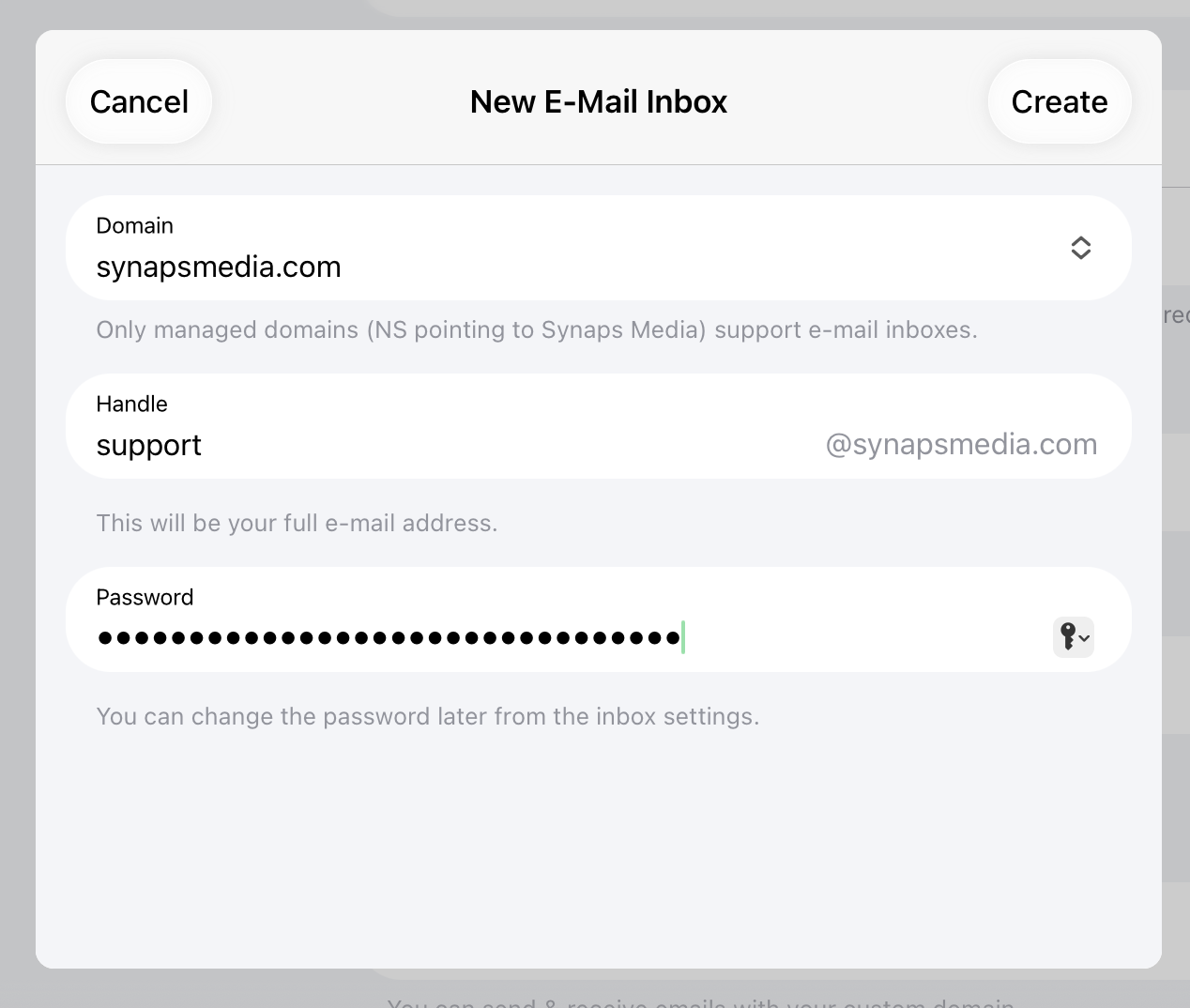
Then you can start using your e-mail address right away. Required DNS records will automatically added.
## Using your Emails
### Webmail
You can reach your email address from browser by using [https://synaps.email](https://synaps.email/?ref=synapsmedia.com) address. Use your full email address and password to login your webmail. Then you can use fully featured mail app to send/receive emails, change your password, set your incoming mail rules and so on.
### Other E-mail Clients
Your e-mail address with any e-mail clients that supports IMAP/POP3 and SMTP protocols, like Apple Mail, Microsoft Outlook, Thunderbird or others.
When setting up your emails on your client apps, always use full email address (username@yourdomain.tld) as username.
To setup your email clients, please check our detailed document:
[Setting Up Your Synaps Media EmailIf you created an e-mail inbox on Synaps Media, here is how to use it to send and receive emails with common e-mail clientsSynaps MediaSynaps Media](https://www.synapsmedia.com/help/setting-up-your-synaps-media-email/)
## Questions
#### What is the difference between E-mail Inbox and Custom Sending Domain?
With Custom Sending Domain, "your Ghost site" can send transactional (signup/sign-in/password recovery) and newsletter emails with your own domain. But to "receive" emails by your custom domain, or send individual emails to anyone on the internet, you need to have a E-mail inbox (or Forward e-mail, just for receiving).
#### How can I use my e-mail address with e-mail clients like Apple Mail or Outlook?
Our e-mail service supports IMAP and POP connections. By using one of those protocols in your e-mail client, you can add your e-mail address, and start sending and receiving emails directly within your e-mail client.
Please check [our detailed document](https://www.synapsmedia.com/help/setting-up-your-synaps-media-email/) about configuring e-mail clients.
#### Can I check my e-mail inbox from browser?
Yes. You can use our webmail at [https://synaps.email](https://synaps.email/?ref=synapsmedia.com)
#### How can I change my e-mail password?
You can change your Synaps Media E-mail Inbox mail address on Synaps Media Panel. Go to your site setting on the panel, select e-mail address you want to change the password in "E-mail Inboxes" list. Use "Change Password" button in the opened dialog.
### Setting Up Your Synaps Media Email
URL: https://www.synapsmedia.com/help/setting-up-your-synaps-media-email/
Last updated: 2026-06-21T19:34:42.000Z
This guide walks you through accessing your E-mail Inbox for your custom domain, either through your browser (webmail) or by adding it to an email app on your computer or phone.
If you just need to check your email quickly without any setup, jump to [Webmail](#webmail-no-setup-required).
---
## What You'll Need
Before setting up your email in any app, have these details ready:
| Setting | Value |
| ---------------------- | -------------------------------------------------------- |
| Email address | you@yourdomain.com (your full email address) |
| Username | Your full email address (not just the part before the @) |
| Password | The password provided when your inbox was created |
| Incoming server (IMAP) | mail.synaps.email — Port 993 — SSL/TLS |
| Incoming server (POP3) | mail.synaps.email — Port 995 — SSL/TLS |
| Outgoing server (SMTP) | mail.synaps.email — Port 587 — STARTTLS |
> **IMAP vs POP3:** We recommend **IMAP**. It keeps your email in sync across all your devices — if you read or delete a message on your phone, it updates everywhere. POP3 downloads messages to a single device and is only useful in specific cases (e.g., very limited storage). If you're not sure, use IMAP.
---
## Webmail (No Setup Required)
You can access your email directly from your browser at any time — no configuration needed.
1. Go to [https://synaps.email](https://synaps.email/?ref=synapsmedia.com)
2. Enter your full email address and password
3. Click **Sign In**
This is the fastest way to check your email and works on any device with a browser.
---
## Microsoft Outlook
1. Open Outlook and go to **File → Add Account** (Windows) or **Outlook → Settings → Accounts** (Mac)
2. Enter your full email address and click **Connect**
3. If Outlook offers to auto-detect settings, choose **Advanced setup** or **IMAP** instead of auto-detect
4. Enter the following:
- **Incoming mail server:** `mail.synaps.email`, Port `993`, Encryption: **SSL/TLS**
- **Outgoing mail server:** `mail.synaps.email`, Port `587`, Encryption: **STARTTLS**
- **Username:** your full email address
5. Enter your password when prompted
6. Click **Connect / Done**
> If Outlook insists on auto-discovering settings and fails, look for a manual or advanced setup option — it's usually a small link near the bottom of the setup window.
---
## Mozilla Thunderbird
1. Open Thunderbird and go to **Account Settings → Account Actions → Add Mail Account**
2. Enter your name, email address, and password, then click **Configure manually** (skip the auto-lookup)
3. Set the following: **Incoming (IMAP):**
- Server: `mail.synaps.email`
- Port: `993`
- Connection security: **SSL/TLS**
- Authentication: **Normal password**
4. **Outgoing (SMTP):**
- Server: `mail.synaps.email`
- Port: `587`
- Connection security: **STARTTLS**
- Authentication: **Normal password**
5. **Username (both):** your full email address
6. Click **Re-test** or **Done**, and accept the certificate if prompted
---
## Apple Mail (macOS)
1. Open **Mail → Settings → Accounts**, then click the **+** button to add an account
2. Choose **Other Mail Account**
3. Enter your name, full email address, and password, then click **Sign In**
4. If Mail can't find the settings automatically, enter them manually:
- **Incoming Mail Server:** `mail.synaps.email`
- **Outgoing Mail Server:** `mail.synaps.email`
- **Username:** your full email address
5. Click **Sign In** to finish
macOS Mail typically selects the correct ports and encryption automatically once it identifies the server type as IMAP.
---
## iPhone / iPad (iOS Mail App)
1. Go to **Settings → Mail → Accounts → Add Account**
2. Tap **Other**, then **Add Mail Account**
3. Enter your name, full email address, password, and a description (e.g., "Work Email"), then tap **Next**
4. Choose **IMAP**
5. Under **Incoming Mail Server:**
- Host Name: `mail.synaps.email`
- Username: your full email address
- Password: your password
6. Under **Outgoing Mail Server:**
- Host Name: `mail.synaps.email`
- Username: your full email address
- Password: your password
7. Tap **Next**, then **Save**
> If iOS shows a warning about the connection, tap **Continue** — this simply confirms a secure (SSL/TLS) connection is being used.
If you need to set ports manually (rarely required), tap your account, then **Account → SMTP → Primary Server**, and set the outgoing port to `587` and incoming port to `993` under the IMAP settings.
---
## Android (Gmail App or Default Mail App)
Steps below use the Gmail app, which is preinstalled on most Android phones and supports other email accounts.
1. Open **Gmail**, tap your profile icon → **Add another account**
2. Choose **Other**
3. Enter your full email address, tap **Next**, then choose **Personal (IMAP)**
4. Enter your password, tap **Next**
5. Set the **incoming server** details:
- Server: `mail.synaps.email`
- Port: `993`
- Security type: **SSL/TLS**
6. Tap **Next**, then set the **outgoing server** details:
- Server: `mail.synaps.email`
- Port: `587`
- Security type: **STARTTLS**
7. Tap **Next**, then **Next** again to finish account setup
If your phone uses a different built-in mail app, the steps are similar — choose **manual** or **IMAP setup** and enter the same server, port, and encryption details above.
---
## Troubleshooting
#### ****"Cannot connect" or "Server not found" errors**
Double-check there are no extra spaces in the server address and that you're using `mail.synaps.email` for both incoming and outgoing — not your website domain.
#### ****"Authentication failed" or incorrect password errors**
Make sure the username is your ****full email address**, not just the part before the `@`. This is a common mistake.
#### ****Certificate or security warnings**
These usually appear the first time you connect and just confirm the connection is encrypted. It's safe to accept/continue.
### Still stuck?
Use [webmail](https://claude.ai/chat/458ecb2b-9844-48f4-adeb-1d6ec818b8bc?ref=synapsmedia.com#webmail-no-setup-required) to confirm your email and password work correctly — if webmail works but a client doesn't, the issue is almost always a typo in the server, port, or username field. If webmail also fails, contact our support and we'll help you sort it out.
---
*Need help? Contact Synaps Media support at support@synapsmedia.com.*
### Ghost 6.46 on Synaps Media
URL: https://www.synapsmedia.com/ghost-updates/ghost-6-46-on-synaps-media/
Last updated: 2026-06-19T21:21:20.000Z
All of the Ghost websites hosted in Synaps Media are automatically upgraded to latest version (v6.46). You can find a list of features/fixes released with this version by visiting official release notes with the link below.
[Release v6.46.0 · TryGhost/Ghost✨ Added long-press to open the posts list context menu on touch devices (#28602) - Steve Larson 🎨 Removed any from activitypub (#28557) - Pedro Almeida 🎨 Improved layout and alignment inconsistenci…GitHubTryGhost](https://github.com/TryGhost/Ghost/releases/tag/v6.46.0?ref=synapsmedia.com)
Would you like to try the latest version of Ghost in a few minutes?
[Start 14-days Free Trial ](https://panel.synapsmedia.com/register?ref=synapsmedia.com)
### Introducing Smart Optimization
URL: https://www.synapsmedia.com/changelog/introducing-smart-optimization/
Last updated: 2026-06-15T06:00:19.000Z
Managing a website should be about your content and design, not managing build tools.
Ghost recently introduced a built-in Theme Editor in Ghost Admin, letting publishers edit theme files directly without uploading new theme archives for every change. It's a great step toward making theme customization more accessible.
However, most modern themes come with prebuilt CSS and JavaScript files. Theme developers write their code in multiple, readable source files, then run a build process that combines and minifies them into smaller files optimized for delivery to visitors. This keeps the codebase organized during development while keeping the final website fast.
This works fine in a typical development workflow, but the new Theme Editor has no build step of its own. If your theme depends on these prebuilt files, editing them directly in Ghost Admin means working with unreadable, minified code, with no way to regenerate the optimized versions afterward.
Smart Optimization removes this problem at the source.
## Your files, optimized automatically
Smart Optimization is a new Synaps Media feature that automatically optimizes your HTML, CSS, JavaScript, and SVG files before they reach your visitors — no build step required on your end.
This means you can include plain, readable source files in your theme and edit them freely in Ghost's Theme Editor. Synaps Media handles the optimization transparently, in the background, on every request.
Smaller pages. Faster loads. No extra work.
## Code Injection gets optimized too
Ghost's Code Injection is one of its most powerful features — a quick way to add custom styles or scripts without touching theme files. But those snippets are normally delivered exactly as you write them, comments and all.
With Smart Optimization, inline CSS and JavaScript from Code Injection is optimized as well, so your site stays lean even as you layer in customizations.
## Available on all plans, at no extra cost
Smart Optimization is enabled by default for every Synaps Media website, across all plans. There's nothing to activate and nothing to pay — it just works.
If you ever need to adjust it, you can find the controls under **Advanced Settings → Smart Optimization**, where you can toggle optimization individually for HTML, CSS, JavaScript, and SVG. For a full guide on getting the most out of this feature, including theme development tips and implementation details, visit the [documentation](https://www.synapsmedia.com/help/using-smart-optimization/).
## Fast websites, by default
Smart Optimization is part of a broader commitment at Synaps Media: every site we host should be fast out of the box, without putting the technical burden on publishers. Performance shouldn't be a privilege reserved for those who know their way around a build pipeline. We'll continue building infrastructure-level improvements that work quietly behind the scenes, so you can stay focused on what matters — your content.
### Using Smart Optimization
URL: https://www.synapsmedia.com/help/using-smart-optimization/
Last updated: 2026-06-14T22:22:36.000Z
Smart Optimization automatically optimizes your website's HTML, CSS, JavaScript, and SVG files before they're delivered to visitors. There's no build step to configure and nothing to install. It's enabled by default for all Synaps Media websites, on all plans, at no additional cost.
## Why Smart Optimization exists
Ghost's built-in Theme Editor lets you edit theme files directly from Ghost Admin, without uploading a new theme archive for every change.
Most modern themes, however, are distributed with prebuilt CSS and JavaScript files. Theme developers typically write their code as multiple, readable source files, then run a build process that combines and minifies them into smaller files optimized for delivery. This keeps the codebase organized during development while keeping the live website fast.
The Theme Editor doesn't have a build step of its own. If your theme relies on prebuilt files, editing them directly in Ghost Admin means working with minified, hard-to-read code, and there's no way to regenerate the optimized version afterward.
With Smart Optimization, that build step is no longer necessary. You can include your readable source CSS and JavaScript files directly in your theme. Synaps Media optimizes them on the fly when the site is served, so you always get the benefits of minified output, smaller file sizes, fewer exposed comments, faster downloads, without giving up the ability to edit source files directly in Ghost Admin.
The same applies to **Code Injection**: any inline CSS or JavaScript you add through Ghost's Code Injection feature is optimized as well, even though it's written and stored as plain, unminified code.
## What gets optimized
Smart Optimization processes four types of content:
**HTML** responses are optimized by removing unnecessary whitespace and comments, including inline `